
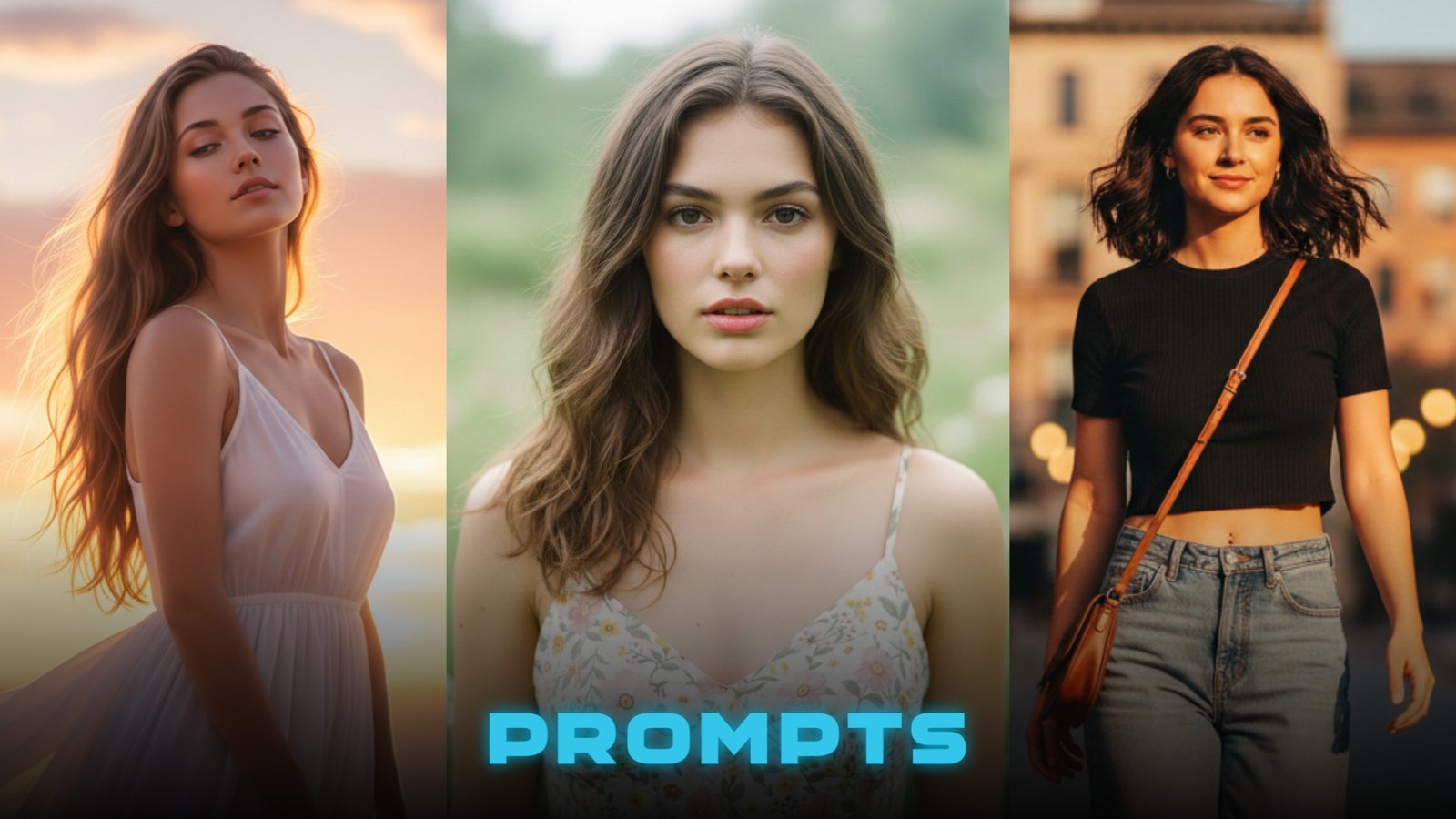
You scroll through Instagram, see those stunning portraits with perfect lighting and café vibes, and wonder how they do it. Expensive camera? Professional editing? Not anymore. AI photo prompts let you turn any selfie into a viral-worthy portrait in seconds—no editing skills, no fancy gear, just copy-paste and go.
This guide gives you 8 ready-to-use prompts that create realistic, cinematic portraits anyone can make. Whether you want street-style shots, soft glam looks, or dreamy outdoor scenes, these free prompts work instantly on platforms like Gemini AI.
Why These AI Photo Prompts Are Going Viral Right Now
Social media users are ditching heavy editing apps and switching to AI prompts because they’re faster, easier, and deliver professional results without the learning curve. You don’t need Photoshop skills or expensive cameras—just a selfie and the right prompt.
These prompts work because they keep your real face while transforming everything around it. Natural skin texture, sharp eyes, cinematic lighting, and aesthetic backgrounds that match current Instagram trends. That’s why beginners love them—instant results with zero effort.
Plus, they’re completely free. No subscriptions, no watermarks, just copy the prompt and watch AI create a portrait that looks like it came from a professional photoshoot.
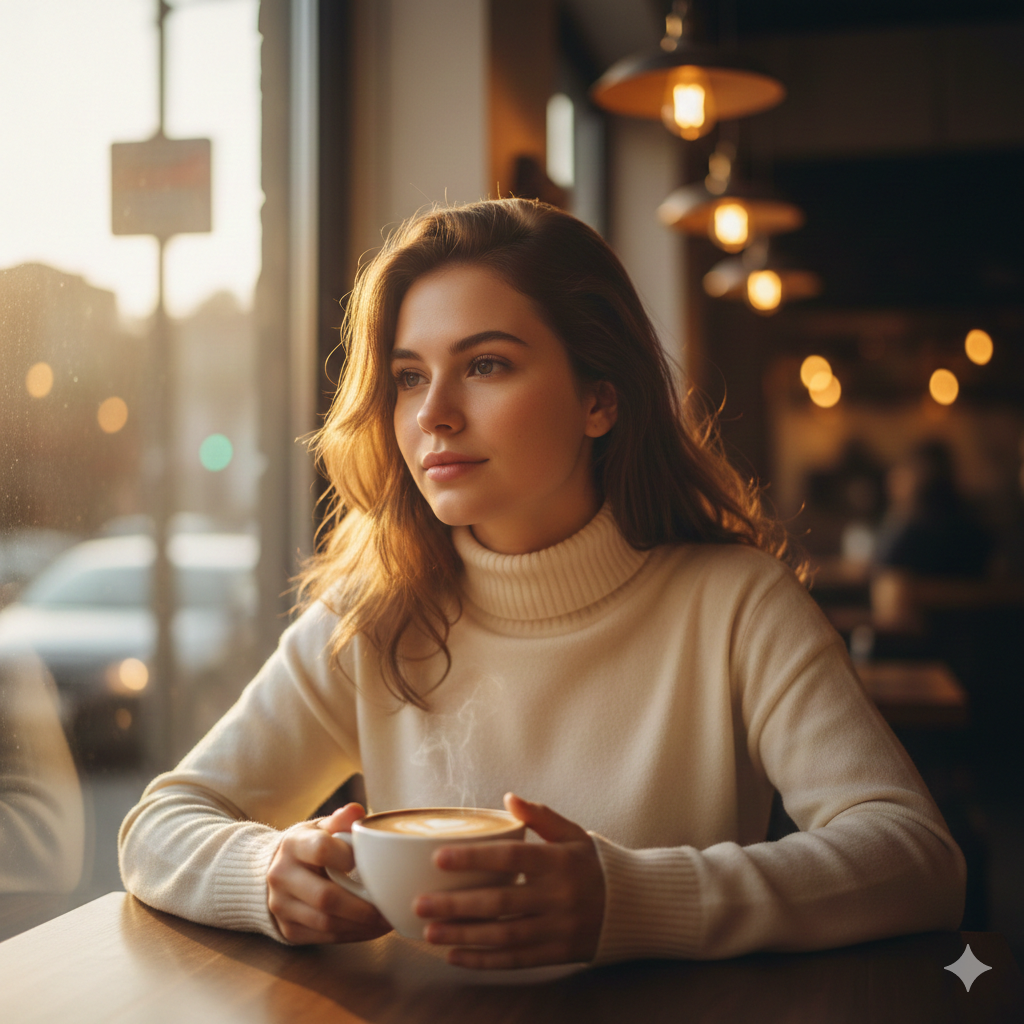
Prompt #1: Golden Hour Coffee Shop Portrait
💡 Concept: Warm café aesthetic with natural sunlight streaming through windows, creating that cozy Instagram vibe everyone loves.
🎯 Best for: Profile pictures, lifestyle content, relatable everyday portraits
Check More: 8 Ultra-Realistic Gemini AI Prompts for Lehenga Portraits
✨ Prompt: “Create an ultra-realistic portrait of a young woman sitting at a café table near a large window during golden hour. Soft warm sunlight filters through, illuminating her face naturally. She wears a simple cream turtleneck sweater and holds a coffee cup. Hair is loose and natural, minimal makeup with dewy skin. Background shows blurred café interior with warm bokeh lights. Use the uploaded reference face with 100% accuracy. Do not change face. 4K quality, natural skin texture, cinematic lighting.”
⚡ Quick Tip: Upload a clear selfie where your face is well-lit and looking slightly to the side for a more natural, candid feel.
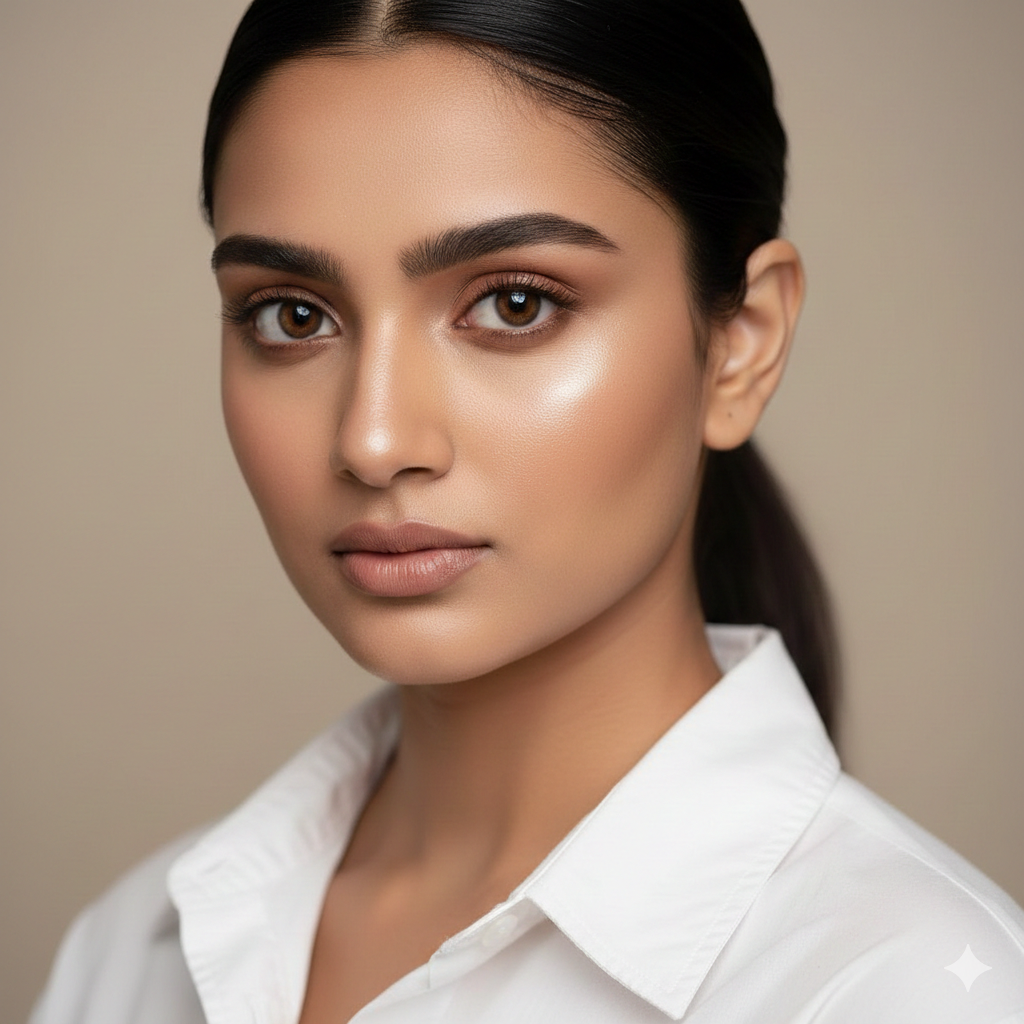
Prompt #2: Soft Glam Studio Close-Up
💡 Concept: Professional studio lighting with clean background, perfect for polished profile pictures and professional social media presence.
🎯 Best for: LinkedIn profiles, professional DPs, clean aesthetic posts
Check More: 10 Viral Gemini Prompts to Create Instagram Famous Couple Photos
✨ Prompt: “Create an ultra-realistic close-up portrait of a young woman against a soft neutral beige background. Studio lighting creates gentle shadows on one side of her face. She wears a simple white button-up shirt, hair styled in a sleek low ponytail. Soft glam makeup with natural foundation, defined brows, subtle highlighter, and nude pink lips. Use the uploaded reference face with 100% accuracy. Do not change face. Sharp focus on eyes, 8K quality, professional studio aesthetic.”
⚡ Quick Tip: This works best with a front-facing selfie where you’re looking directly at the camera.
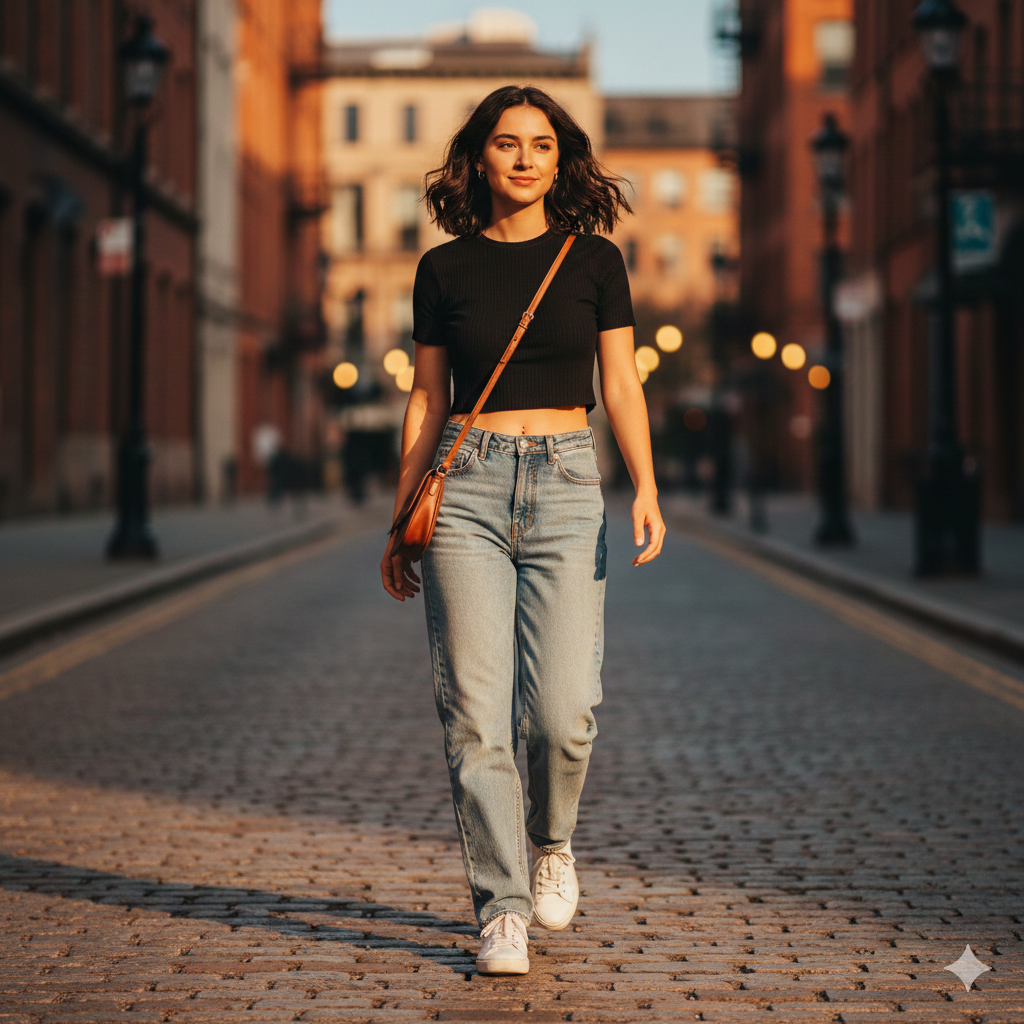
Prompt #3: Sunset Street Style Walk
💡 Concept: Urban outdoor scene during sunset, capturing that effortless street-style vibe that performs well on Reels and Stories.
🎯 Best for: Fashion content, casual lifestyle posts, Instagram Reels
Check More: 10 Must Try Gemini AI Snow Couple Photo Prompts for 2026
✨ Prompt: “Create an ultra-realistic full-body portrait of a young woman walking on a quiet city street during sunset. Golden hour light creates long shadows. She wears high-waisted jeans, a fitted black crop top, and white sneakers, carrying a small shoulder bag. Hair flows naturally in a gentle breeze. Background shows blurred urban street with warm bokeh lights turning on. Use the uploaded reference face with 100% accuracy. Do not change face. Candid movement, cinematic color grading, 4K quality.”
⚡ Quick Tip: Add specific clothing colors or styles you prefer—AI adapts the outfit while keeping your face unchanged.
Prompt #4: Cozy Reading Corner Aesthetic
💡 Concept: Soft indoor lighting with books and plants, creating that cozy, bookish vibe popular on aesthetic feeds.
🎯 Best for: Relatable content, cozy lifestyle posts, reading community aesthetic
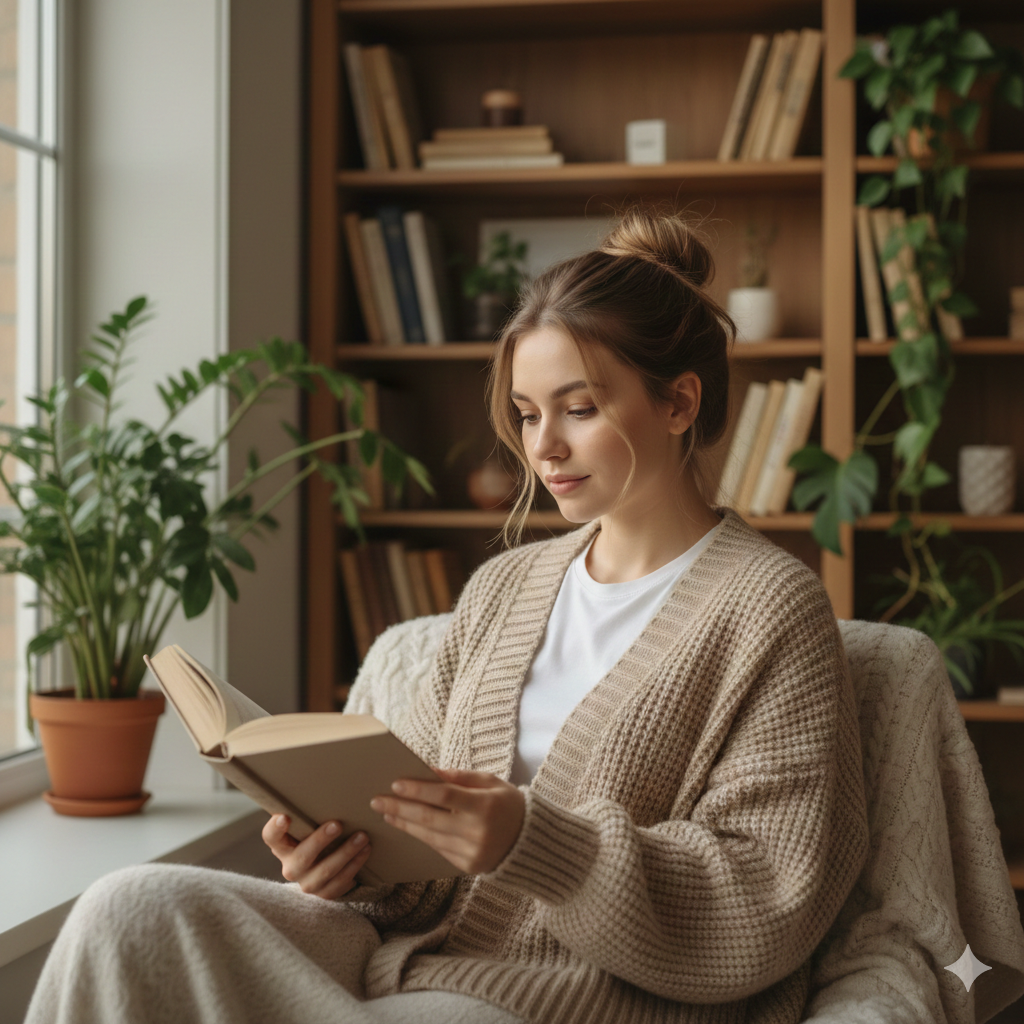
✨ Prompt: “Create an ultra-realistic portrait of a young woman sitting in a cozy reading nook near a window. Natural daylight illuminates her face softly. She wears an oversized beige cardigan over a simple white tee, holding an open book. Background shows blurred bookshelves, indoor plants, and a warm throw blanket. Hair is in a messy bun, minimal makeup, relaxed expression. Use the uploaded reference face with 100% accuracy. Do not change face. Warm tones, shallow depth of field, 4K quality.”
⚡ Quick Tip: This prompt works great even if you don’t have perfect lighting in your selfie—AI handles the rest.
Prompt #5: Fresh Outdoor Garden Portrait
💡 Concept: Natural greenery with soft daylight, perfect for fresh, vibrant posts that stand out in feeds.
🎯 Best for: Spring/summer content, nature-themed posts, fresh aesthetic vibes
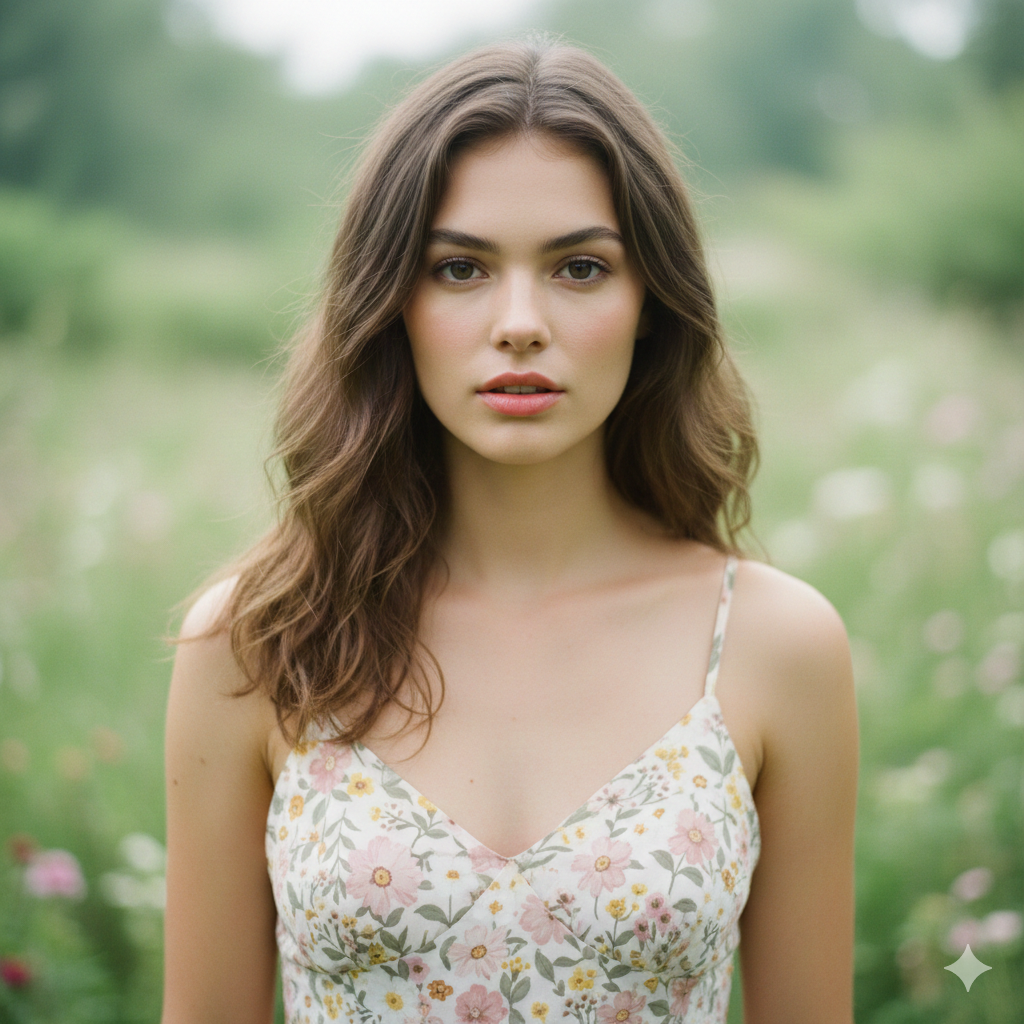
✨ Prompt: “Create an ultra-realistic portrait of a young woman standing in a lush garden with greenery and soft flowers in the background. Natural daylight creates even, flattering light on her face. She wears a light floral sundress, hair down and naturally wavy. Minimal makeup with fresh dewy skin, natural pink lips. Background is softly blurred with green leaves and subtle flower bokeh. Use the uploaded reference face with 100% accuracy. Do not change face. Natural colors, 4K quality, airy and fresh mood.”
⚡ Quick Tip: Works perfectly for creating seasonal content without actually being outdoors.
Prompt #6: Minimal Chic White Background
💡 Concept: Clean, minimalist portrait with pure white background—professional yet modern, perfect for multiple uses.
🎯 Best for: Professional profiles, clean feed aesthetics, versatile multi-platform use
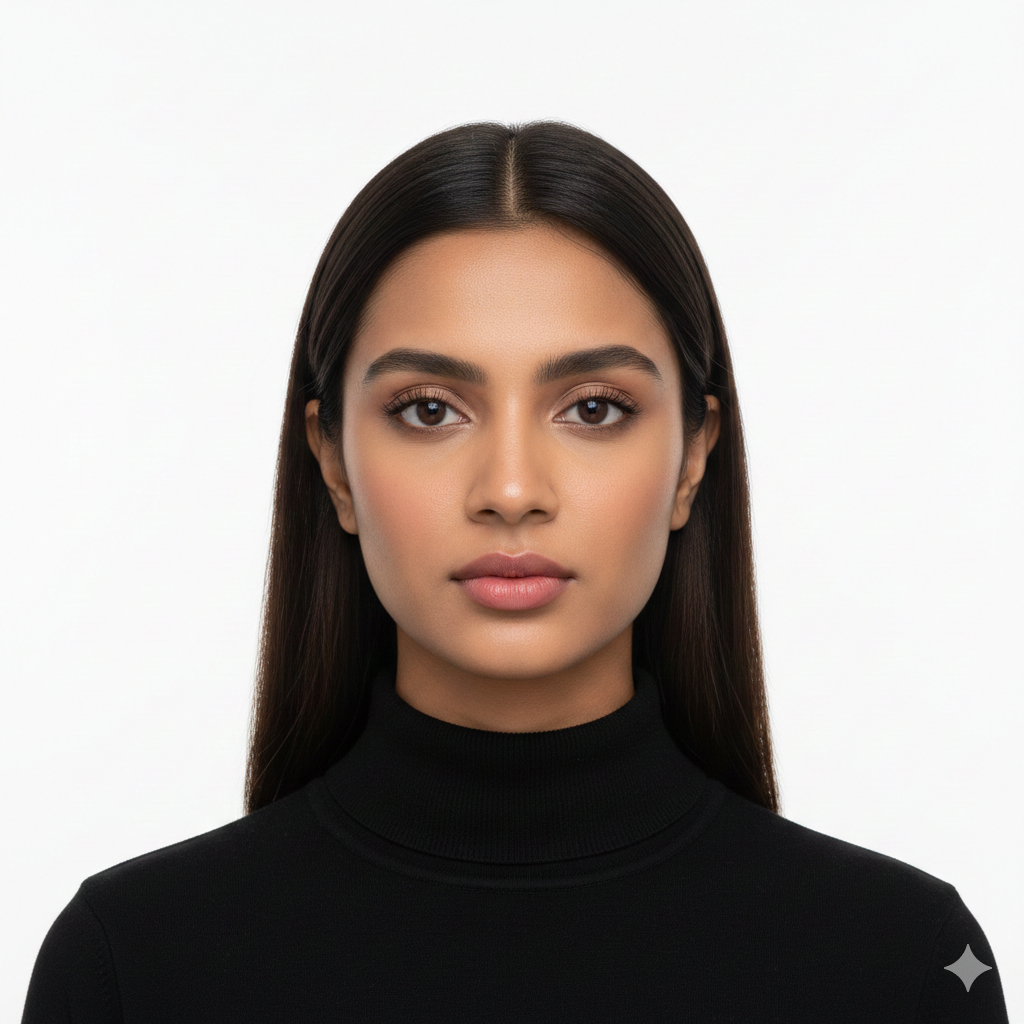
✨ Prompt: “Create an ultra-realistic portrait of a young woman against a pure white background. Even studio lighting eliminates harsh shadows. She wears a simple black turtleneck, hair styled straight and center-parted. Natural makeup with matte skin finish, defined eyes, and soft pink lips. Clean, minimalist aesthetic with sharp focus on face. Use the uploaded reference face with 100% accuracy. Do not change face. High resolution 8K, professional editorial style.”
⚡ Quick Tip: This style is incredibly versatile—use it for resumes, professional networks, or minimalist Instagram grids.
Prompt #7: Vintage Film Camera Aesthetic
💡 Concept: Retro film-style portrait with warm tones and slight grain, creating that nostalgic viral aesthetic.
🎯 Best for: Retro aesthetic posts, vintage vibes, nostalgic storytelling content
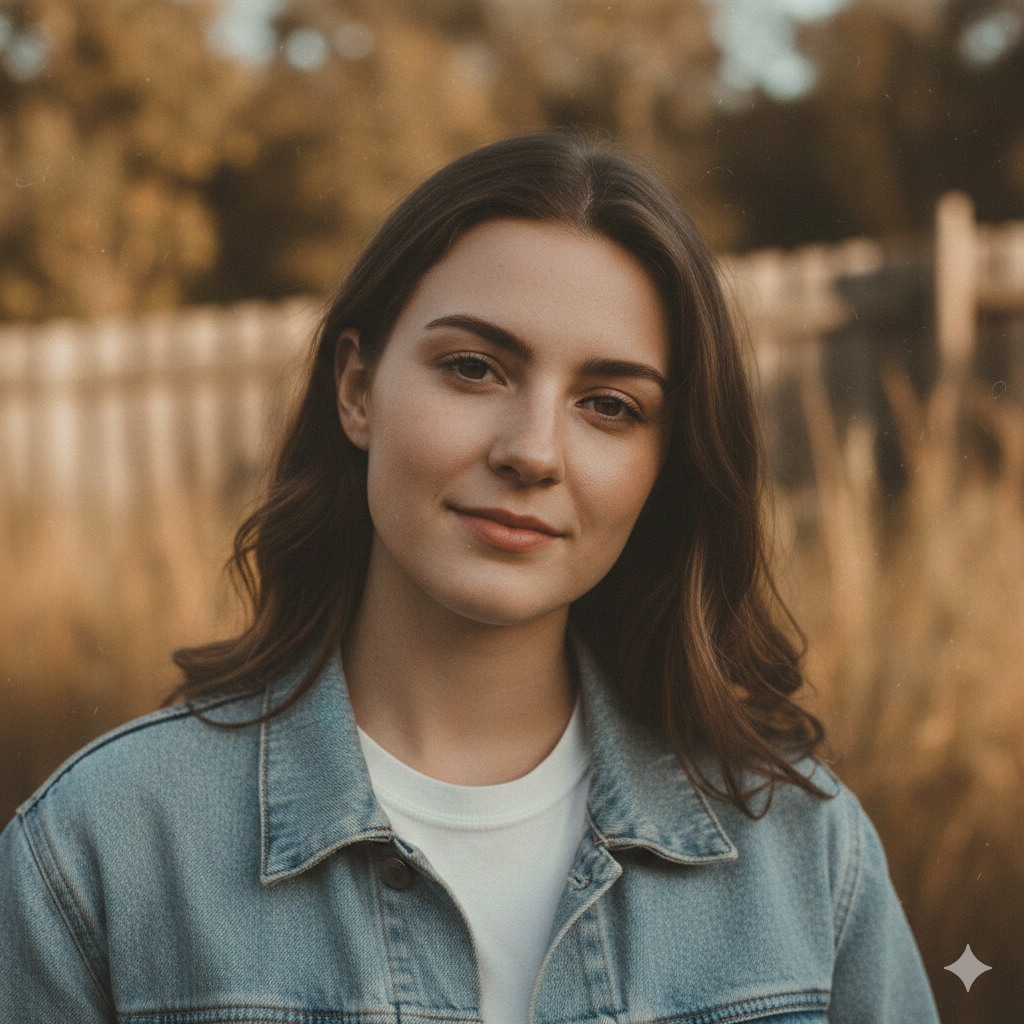
✨ Prompt: “Create an ultra-realistic portrait of a young woman with a vintage 1990s film camera aesthetic. Warm muted color grading with subtle film grain texture. She wears a simple denim jacket over a white tee, hair loose and natural. Soft daylight creates gentle shadows. Background is softly blurred outdoor setting with warm tones. Natural makeup, relaxed expression. Use the uploaded reference face with 100% accuracy. Do not change face. Film photography aesthetic, 4K quality, nostalgic mood.”
⚡ Quick Tip: Perfect for creating a cohesive vintage-themed feed without actual film cameras or editing apps.
Prompt #8: Dreamy Backlit Silhouette Portrait
💡 Concept: Backlit portrait during golden hour with glowing edges, creating a dreamy, ethereal look that stops the scroll.
🎯 Best for: Artistic posts, dreamy aesthetic content, standout feed images
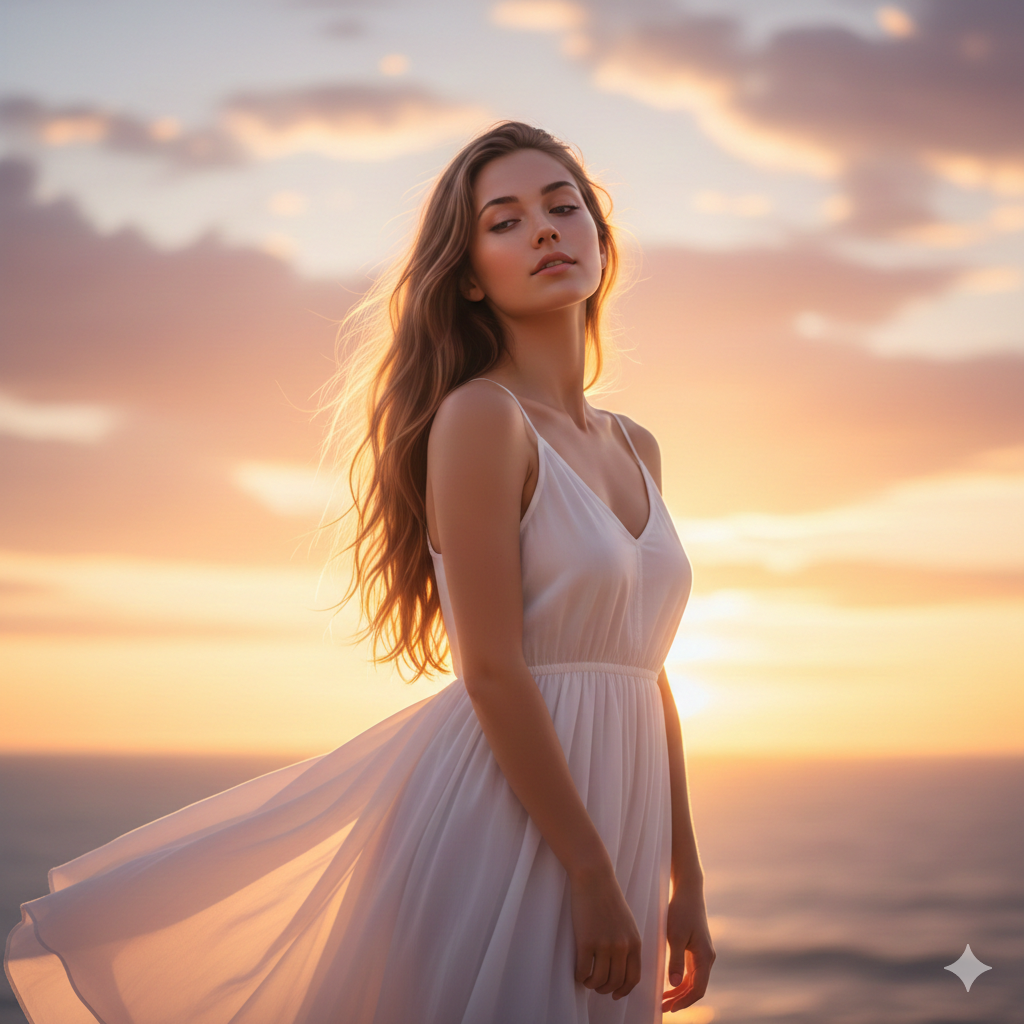
✨ Prompt: “Create an ultra-realistic portrait of a young woman shot from a low angle with backlight from the setting sun. Golden rim light glows around her hair and shoulders. She wears a simple flowing white dress, hair loose and slightly backlit. Face is naturally lit from reflected light, soft and glowing. Background shows a blurred sunset sky with warm orange and pink tones. Use the uploaded reference face with 100% accuracy. Do not change face. Dreamy atmosphere, 4K quality, ethereal mood.”
⚡ Quick Tip: This dramatic lighting style works even with basic selfies—AI creates the backlight effect automatically.
How to Use These Free Copy-Paste AI Prompts
Using these prompts is straightforward. Open Gemini AI (gemini.google.com) or any AI image generator that supports uploaded reference photos. Upload a clear selfie where your face is well-lit and visible—front-facing works best for most prompts.
Copy one of the prompts above and paste it into the prompt box. The line “Use the uploaded reference face with 100% accuracy. Do not change face” ensures AI keeps your real face while transforming everything else. Hit generate and wait 10-30 seconds.
You’ll get 1-4 variations. Pick your favorite, or slightly tweak the prompt (change outfit color, background, or lighting) and regenerate. Download the final image and use it wherever you need—profile picture, Instagram post, story cover, or thumbnail. No editing required. 🎨
Best Platforms to Use These Prompts for Fast Results
Gemini AI is the easiest starting point—free, no signup walls, and handles reference faces well. Just upload your selfie and paste the prompt. Results usually take 20-30 seconds.
Microsoft Designer (formerly Bing Image Creator) also works great for beginners. It’s free, generates multiple variations, and keeps faces accurate when you upload a reference photo.
Other options include Leonardo AI and Playground AI, which offer free daily credits. They provide more customization but have a slight learning curve—still beginner-friendly once you get the hang of it.
Choose whichever feels easiest to you. The prompts work across all these platforms with minor adjustments if needed. Most beginners start with Gemini AI because it’s the simplest. ⚡
Final Thoughts
You don’t need a professional camera, expensive editing software, or any technical skills to create stunning portraits. These 8 AI prompts give you everything you need—just copy, paste, upload a selfie, and let AI handle the rest.
Whether you want café vibes, street style, or dreamy outdoor shots, these prompts deliver realistic results in seconds. Your real face stays exactly the same while the background, lighting, and overall aesthetic transform into something worth posting.
Start with whichever prompt matches the vibe you’re going for. Try one today, see the results, and you’ll understand why beginners are choosing AI prompts over traditional editing. It’s faster, easier, and completely free.
Ready to upgrade your social media game? Pick a prompt, copy-paste it into Gemini AI, and watch your selfie transform into a viral-worthy portrait right now.