
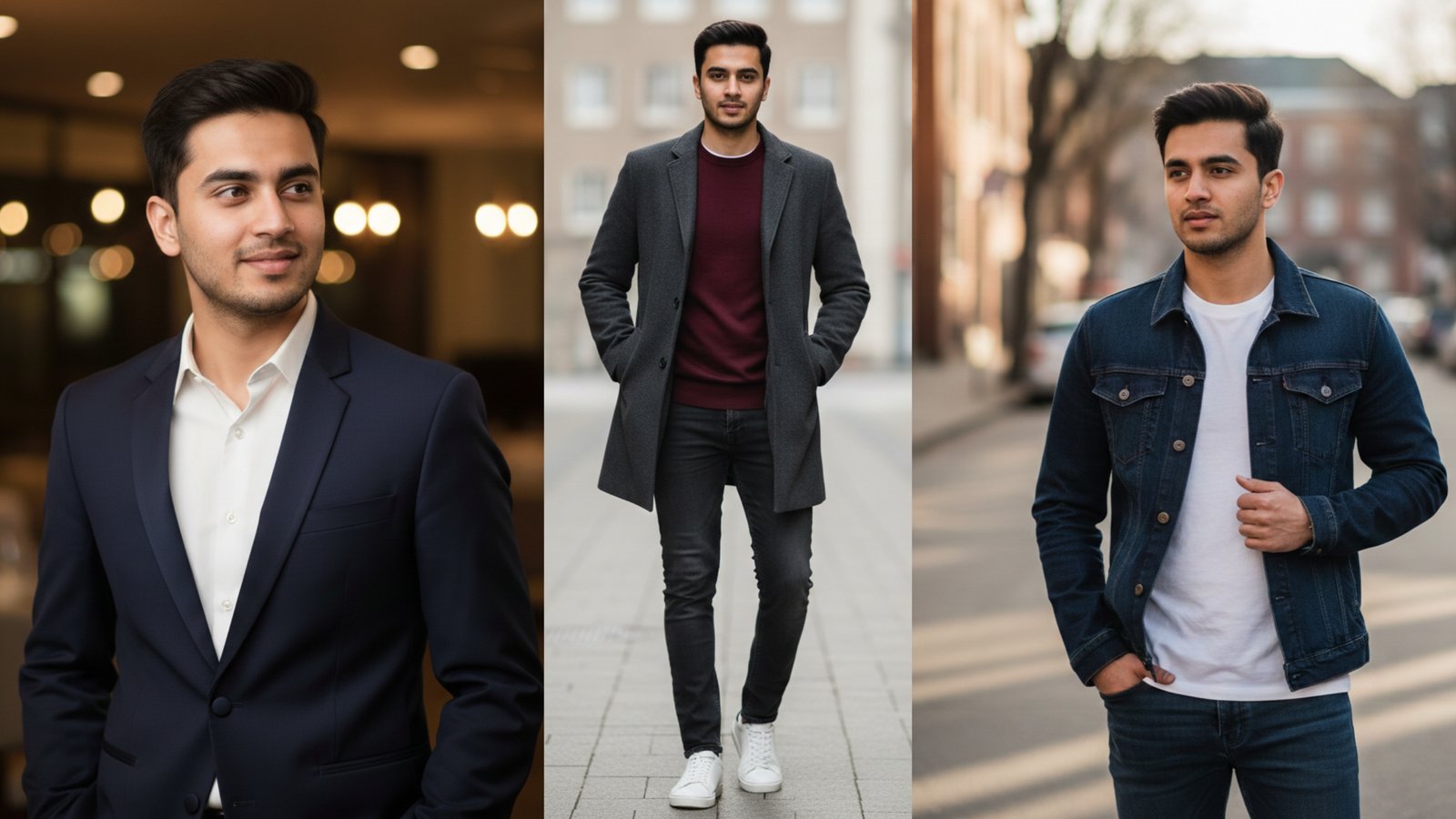
Getting sharp, professional fashion photos doesn’t require expensive cameras or editing software anymore.
Google Gemini can transform your regular selfies into stunning 4K HD fashion images with just a simple copy-paste prompt. These male fashion Google Gemini photo editing prompts work instantly, turning basic photos into magazine-quality shots that boost your social media presence.
Whether you’re updating your Instagram feed or refreshing your LinkedIn profile, these free prompts deliver results in seconds.
Why Male Fashion Prompts Matter for Your Online Presence
Your online image shapes how people see you.
A polished fashion photo on social media creates trust and catches attention faster than casual snapshots. These male fashion Google Gemini photo editing prompts help you look confident and put-together without hiring a photographer.
The right prompt generates realistic lighting, sharp details, and natural poses that feel authentic. You get professional results by simply uploading your photo and pasting the prompt.
Social platforms favor high-quality visuals, so better photos mean more engagement and visibility.
1. The Sharp Street Style King
This prompt creates that effortless urban look you see in fashion magazines.
Your photo transforms into a clean street-style shot with natural lighting and confident body language. The output emphasizes texture in clothing and realistic skin detail.
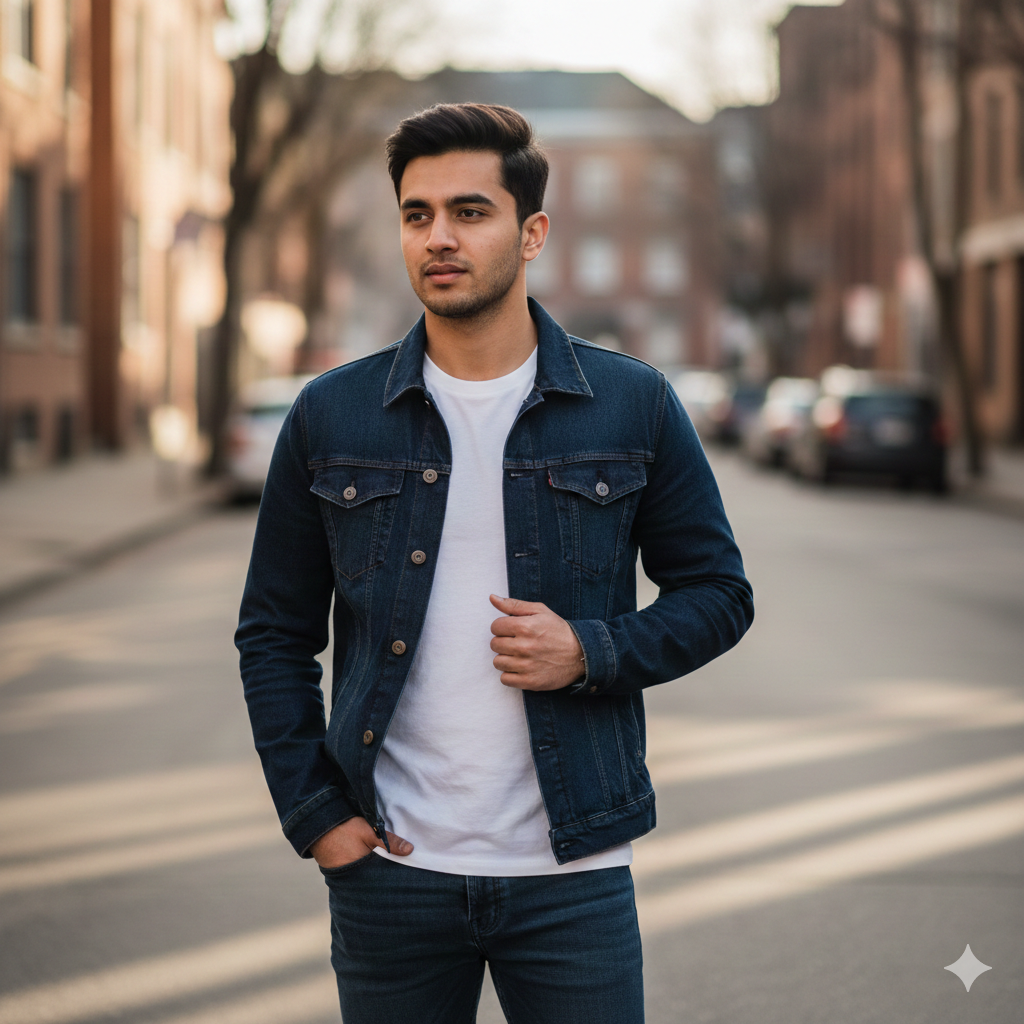
Prompt: Generate a photorealistic 4K HD image of a young man standing in a relaxed yet confident pose on a clean urban street. Medium shot, eye-level angle, 50mm lens. He wears a fitted denim jacket over a plain white cotton t-shirt and dark slim-fit jeans. His gaze is directed slightly off-camera with a calm, assured expression. Natural afternoon sunlight creates soft shadows. Background shows a subtle street environment with muted tones, keeping focus on the subject. Emphasize natural skin texture with visible pores and fine details for lifelike realism. Use the uploaded reference image(s) with 100% accuracy. Don’t change face(s).
Best for: Instagram posts, casual profile pictures, dating apps
Quick Tip: Upload a photo where you’re standing naturally—this prompt works best with full-body or waist-up shots.
2. The Clean Minimal Studio Shot
This prompt delivers that premium studio photography vibe without a studio.
Simple backgrounds keep all attention on your outfit and expression. The result looks professionally lit with sharp focus and natural depth.
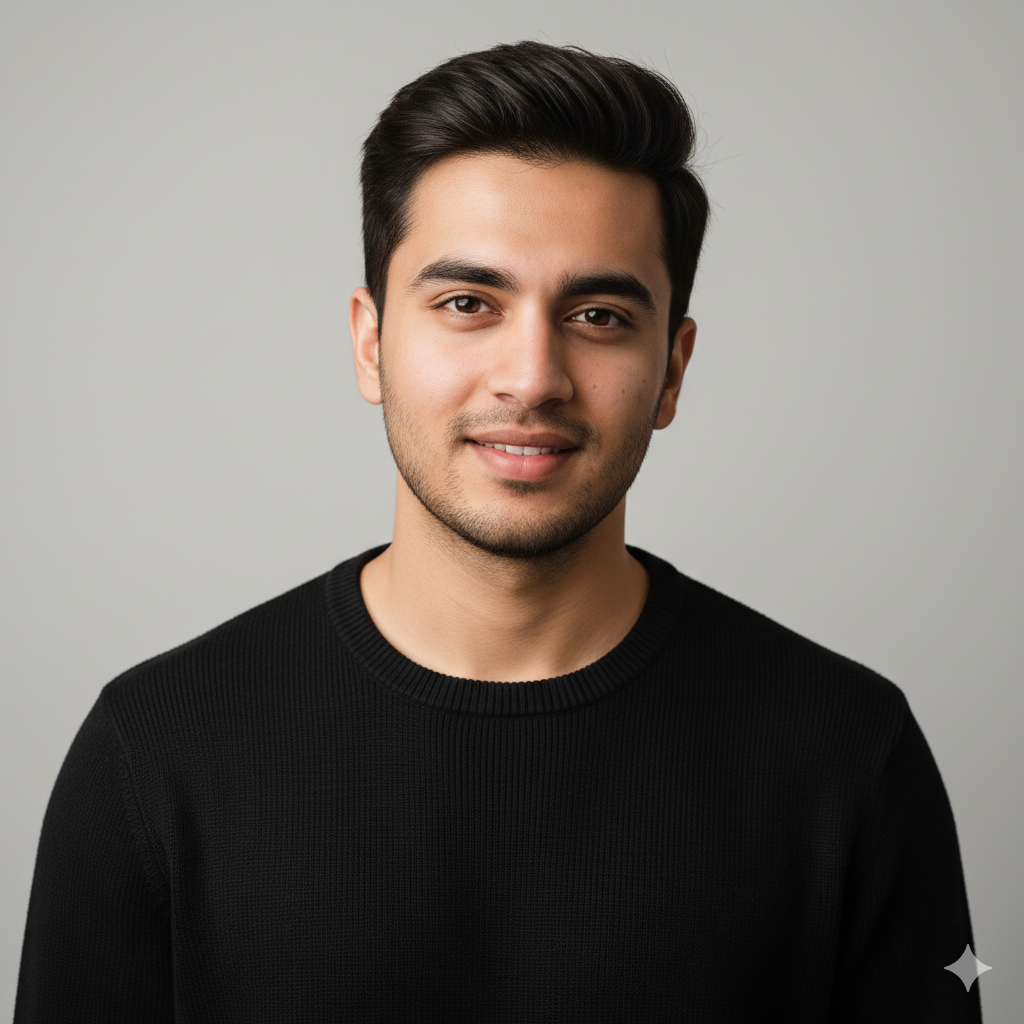
Prompt: Generate a photorealistic 4K HD portrait of a young man in a clean studio setting. Close-up shot, slightly elevated angle, 85mm lens. He wears a solid black crewneck sweater with visible knit texture. His posture is upright and relaxed, head tilted slightly, eyes meeting the camera with a gentle smile. Soft studio lighting from the front-left creates dimension. Plain light gray backdrop provides depth without distraction. Emphasize natural skin texture with visible pores and fine details for lifelike realism. Use the uploaded reference image(s) with 100% accuracy. Don’t change face(s).
Best for: LinkedIn profiles, professional headshots, portfolio images
Quick Tip: Wear solid colors when taking your reference photo—patterns can confuse the AI.
3. The Casual Friday Professional
This prompt balances professional and approachable perfectly.
You get that sharp business-casual look that works for remote meetings and professional social media. The lighting feels natural and office-appropriate.
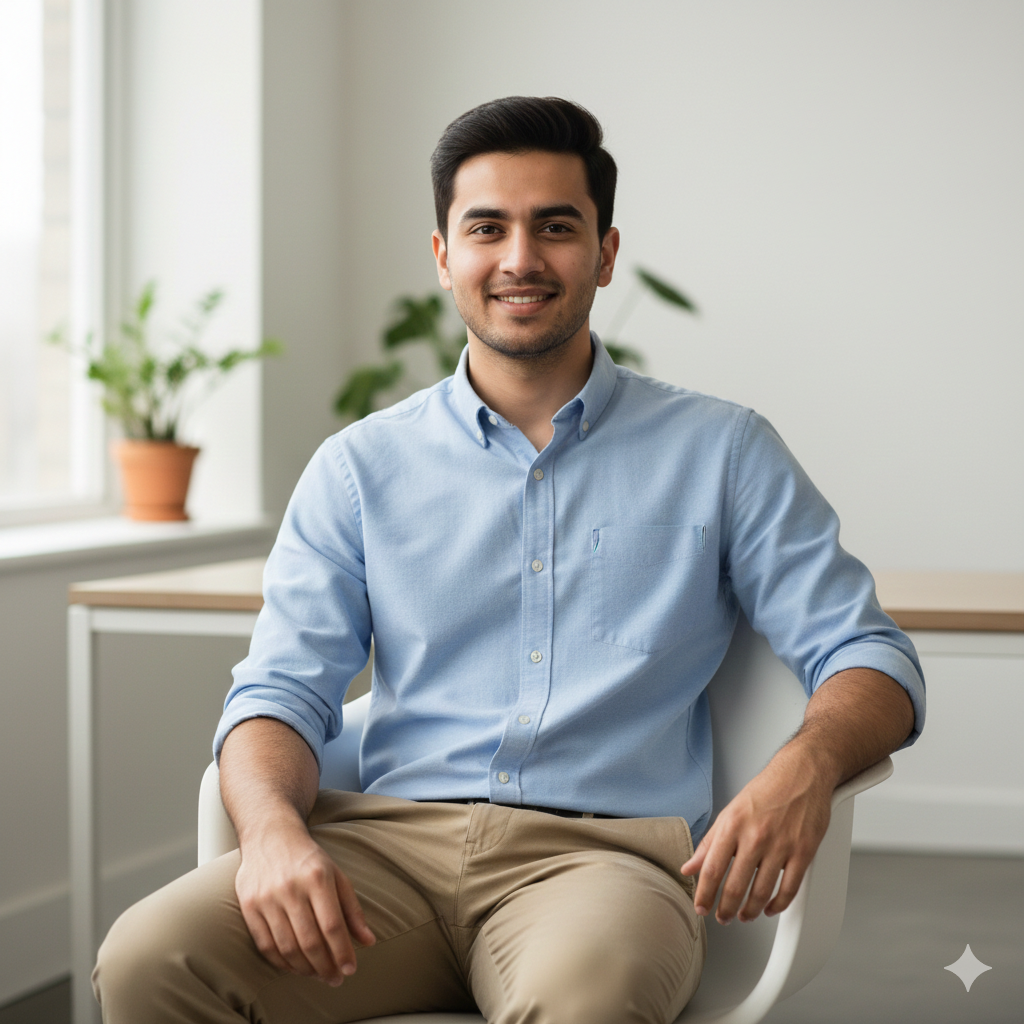
Prompt: Generate a photorealistic 4K HD image of a young man seated casually on a modern chair in a minimalist workspace. Medium shot, straight-on angle, 50mm lens. He wears a light blue oxford shirt with rolled sleeves and khaki chinos. His pose is open and relaxed, one arm resting on his knee, direct eye contact with a warm expression. Soft natural window light from the side. Background shows a blurred workspace with neutral tones. Emphasize natural skin texture with visible pores and fine details for lifelike realism. Use the uploaded reference image(s) with 100% accuracy. Don’t change face(s).
Best for: Business profiles, work-related social media, professional networking
Quick Tip: Sit naturally when taking your photo—forced poses look stiff in the final result.
4. The Evening Out Champion
This prompt creates that polished nighttime look for special occasions.
The output shows you dressed up with sophisticated lighting that matches evening settings. Your outfit details pop with realistic texture and color.
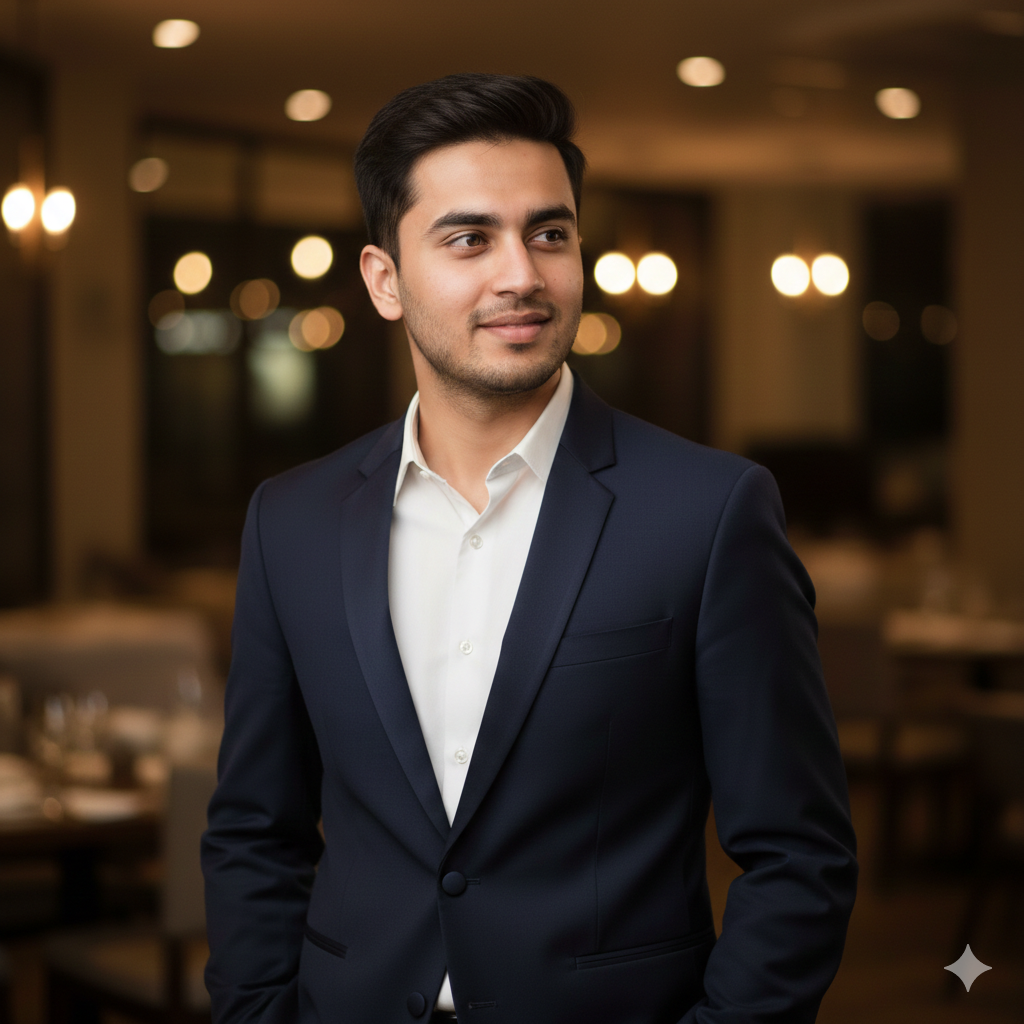
Prompt: Generate a photorealistic 4K HD portrait of a young man standing confidently in an elegant evening setting. Waist-up shot, eye-level angle, 50mm lens. He wears a dark navy blazer over a crisp white dress shirt, top button undone. His stance is relaxed yet refined, hands in pockets, gaze slightly off-camera with a subtle smile. Warm ambient lighting creates gentle highlights on fabric and face. Background features softly blurred warm-toned lights suggesting an upscale venue. Emphasize natural skin texture with visible pores and fine details for lifelike realism. Use the uploaded reference image(s) with 100% accuracy. Don’t change face(s).
Best for: Event photos, date night pictures, formal occasion posts
Quick Tip: Choose a photo with good lighting—dark selfies won’t transform as cleanly.
5. The Weekend Warrior Look
This prompt nails that comfortable weekend style that still looks intentional.
You get a relaxed outdoor vibe with natural colors and casual confidence. The result feels authentic and approachable.
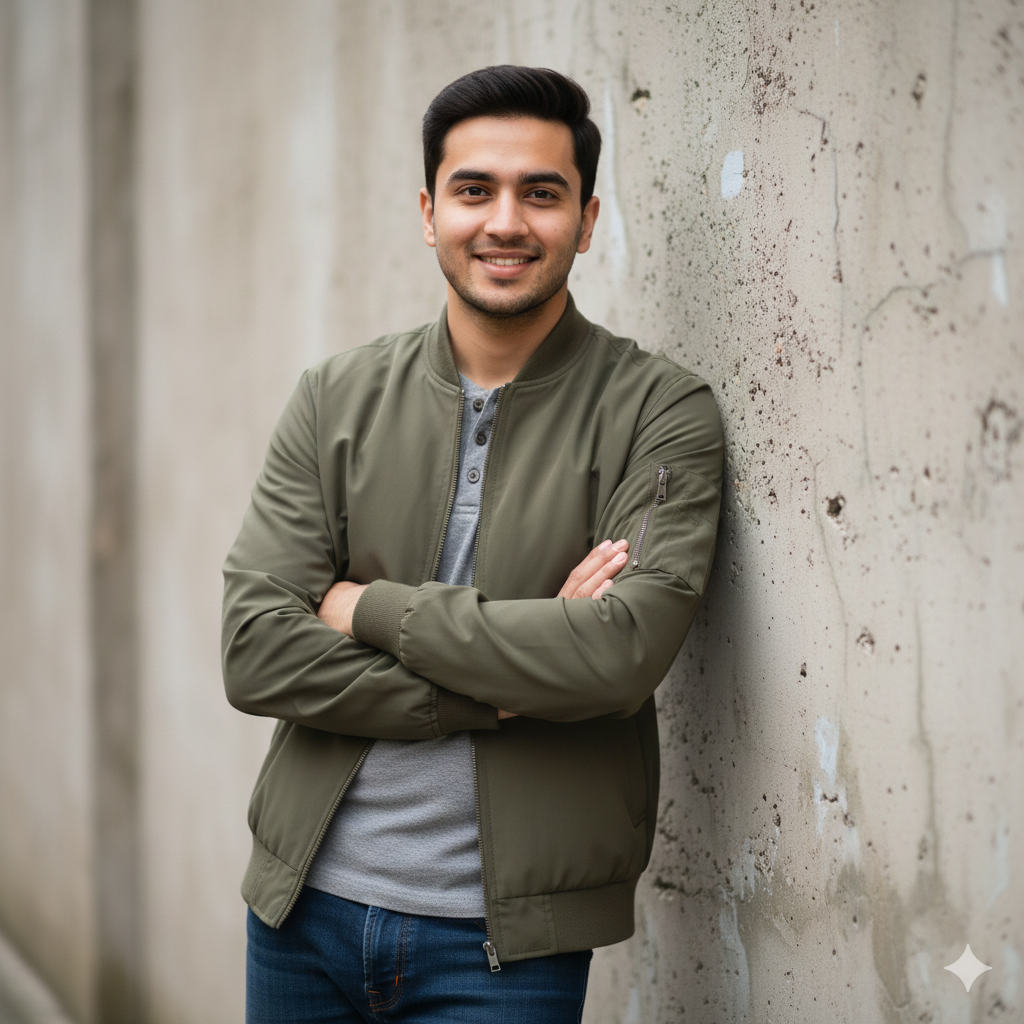
Prompt: Generate a photorealistic 4K HD image of a young man leaning casually against a textured wall outdoors. Medium shot, slightly low angle, 35mm lens. He wears a lightweight olive green bomber jacket over a gray henley shirt and dark jeans. His pose is easygoing, one shoulder against the wall, arms crossed loosely, looking toward camera with a friendly expression. Natural overcast daylight provides even, soft lighting. Background shows a neutral outdoor wall with subtle texture. Emphasize natural skin texture with visible pores and fine details for lifelike realism. Use the uploaded reference image(s) with 100% accuracy. Don’t change face(s).
Best for: Casual social media posts, WhatsApp display pictures, relaxed profile photos
Quick Tip: Outdoor reference photos work best—natural light gives the AI more detail to enhance.
6. The Monochrome Master
This prompt turns your photo into a timeless black-and-white fashion statement.
The output emphasizes texture, contrast, and classic style without color distraction. You look sophisticated and editorial-ready.
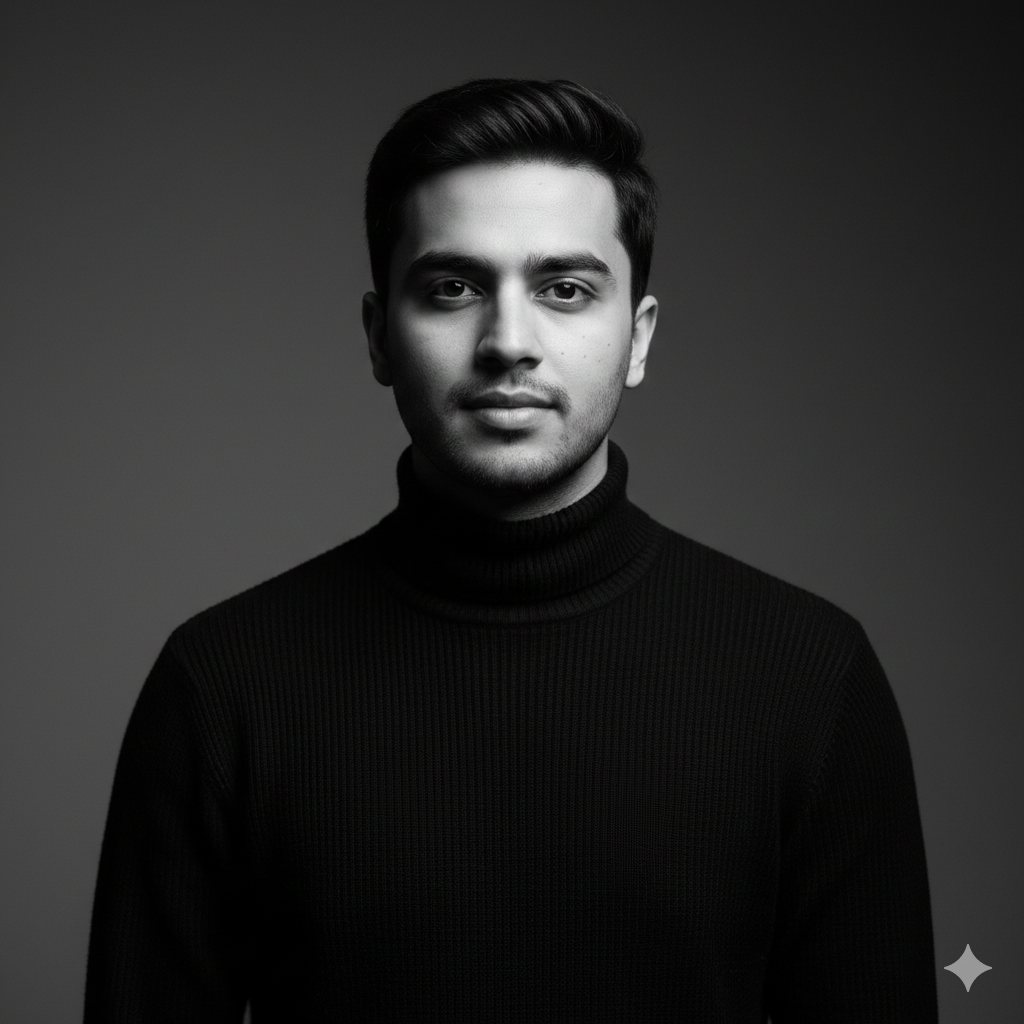
Prompt: Generate a photorealistic 4K HD black and white portrait of a young man in a classic pose. Close-up shot, eye-level angle, 85mm lens. He wears a simple black turtleneck with visible fabric texture. His posture is straight, chin slightly raised, eyes looking directly at camera with calm intensity. Dramatic side lighting creates strong shadows and highlights. Plain dark gray backdrop adds depth. Black and white processing emphasizes skin detail, fabric texture, and tonal contrast. Emphasize natural skin texture with visible pores and fine details for lifelike realism. Use the uploaded reference image(s) with 100% accuracy. Don’t change face(s).
Best for: Artistic profiles, moody Instagram aesthetics, creative portfolios
Quick Tip: This prompt works magic on photos with clear lighting—avoid muddy or too-dark images.
7. The Layered Fashion Forward
This prompt showcases outfit layering with crisp detail and depth.
Multiple clothing pieces get sharp focus, showing texture and style coordination. The result looks like a fashion blogger’s curated content.
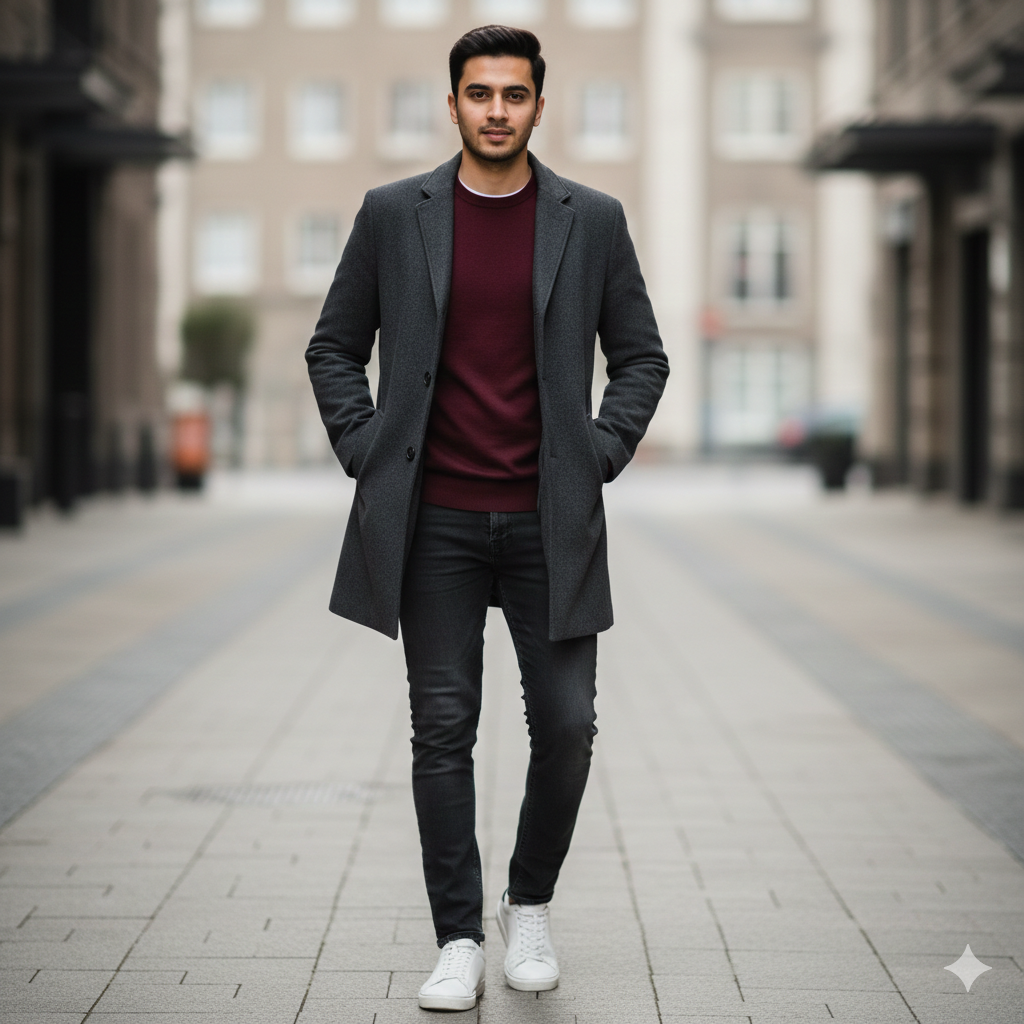
Prompt: Generate a photorealistic 4K HD image of a young man standing in a styled urban setting. Full-body shot, slightly elevated angle, 50mm lens. He wears a charcoal gray overcoat over a burgundy sweater, dark denim jeans, and clean white sneakers. His stance is natural and balanced, hands in coat pockets, gaze toward camera with relaxed confidence. Soft natural daylight from above. Background shows a clean street scene with muted colors, slightly out of focus. Emphasize natural skin texture with visible pores and fine details for lifelike realism. Use the uploaded reference image(s) with 100% accuracy. Don’t change face(s).
Best for: Fashion-focused Instagram, outfit-of-the-day posts, style inspiration content
Quick Tip: Full-body reference photos let this prompt shine—show your complete outfit.
8. The Golden Hour Glow
This prompt captures that perfect sunset lighting photographers chase.
Warm tones and soft shadows create an inviting, premium feel. Your photo looks naturally lit with professional timing.
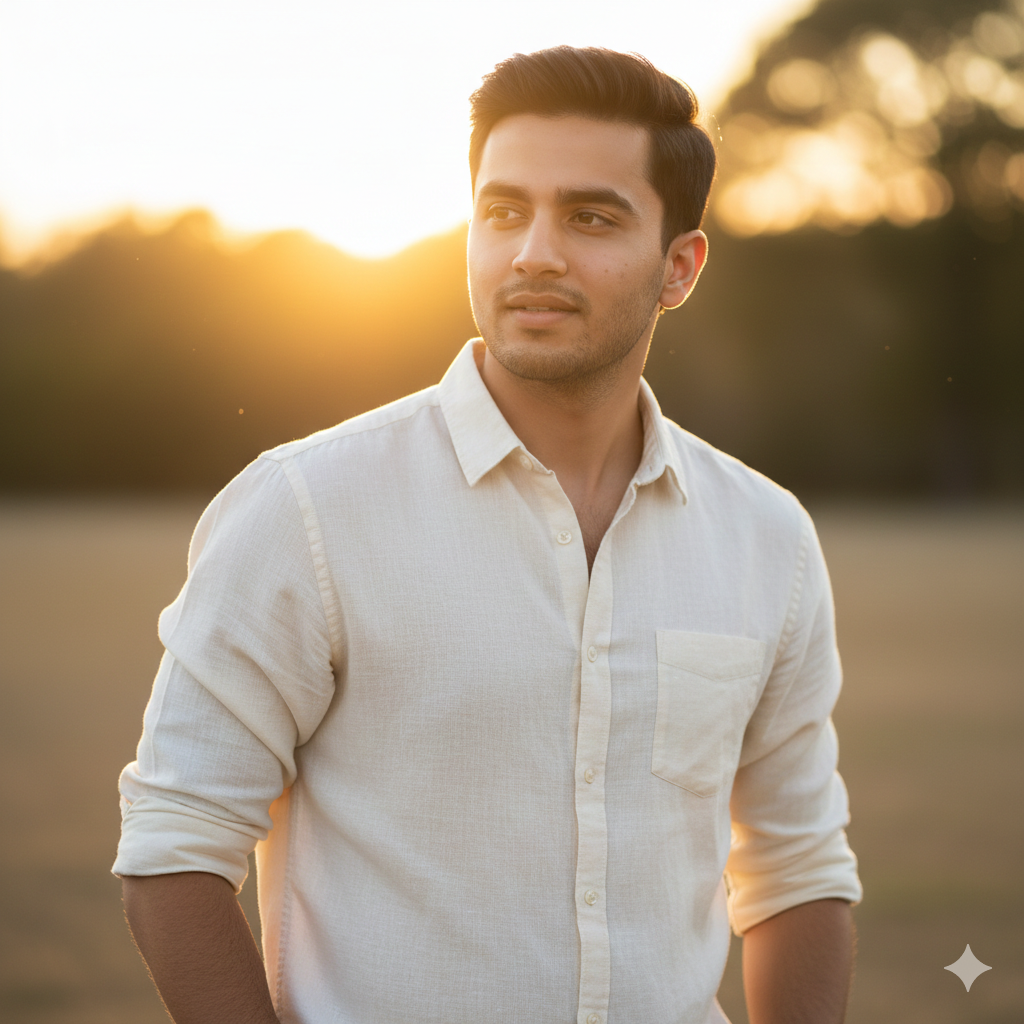
Prompt: Generate a photorealistic 4K HD portrait of a young man outdoors during golden hour. Medium shot, eye-level angle, 50mm lens. He wears a simple cream-colored linen shirt with natural wrinkles, sleeves rolled to elbows. His pose is relaxed, weight on one leg, hands loosely at sides, looking slightly away from camera with a peaceful expression. Warm golden sunlight from behind creates a soft glow and rim lighting. Background shows blurred warm-toned outdoor environment. Emphasize natural skin texture with visible pores and fine details for lifelike realism. Use the uploaded reference image(s) with 100% accuracy. Don’t change face(s).
Best for: Warm aesthetic posts, sunset photos, lifestyle content
Quick Tip: Photos taken near windows work well—the AI enhances existing natural light beautifully.
9. The Confident Close-Up
This prompt creates intimate, engaging portraits that demand attention.
Close framing and sharp focus make your expression and style the complete story. The output feels personal and direct.
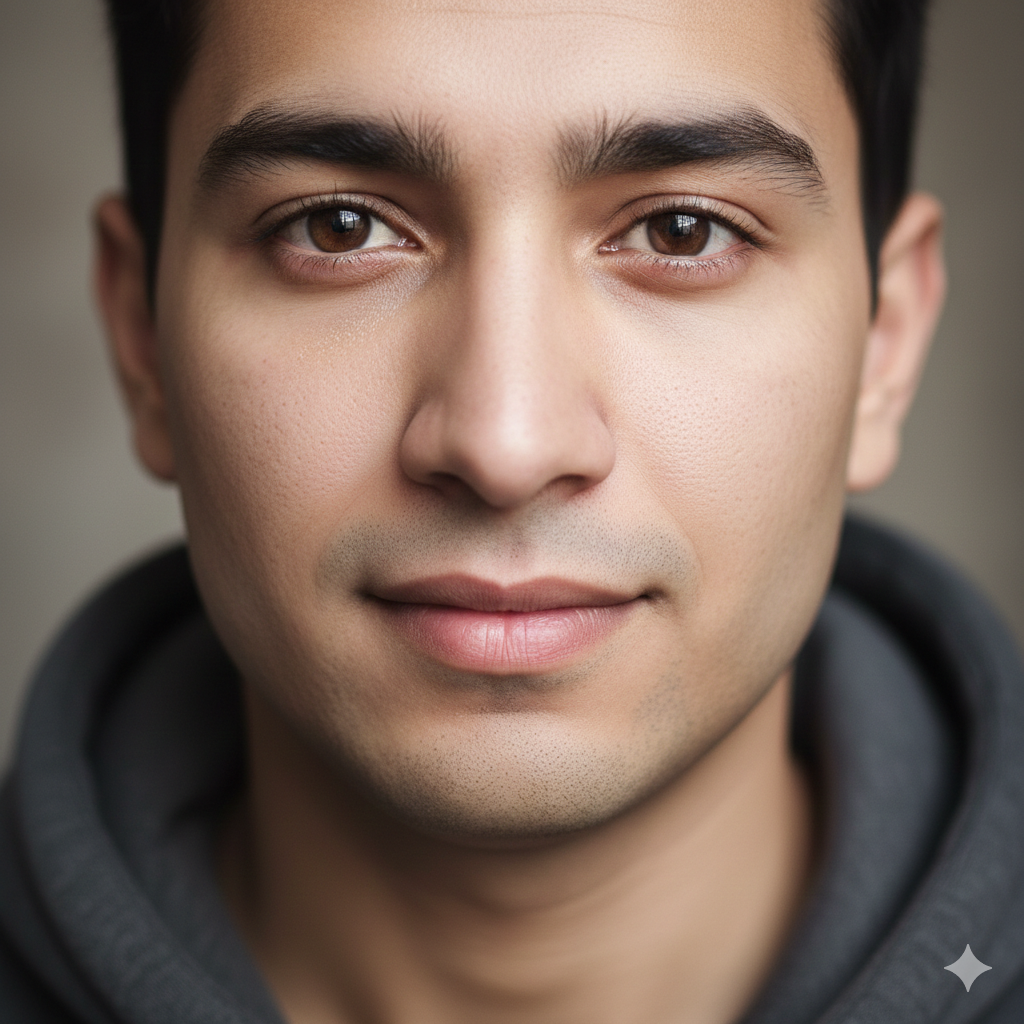
Prompt: Generate a photorealistic 4K HD tight portrait of a young man. Extreme close-up shot, eye-level angle, 85mm lens. He wears a dark gray hoodie with visible fabric texture. His expression is calm and direct, eyes focused on camera with quiet confidence, slight hint of a smile. Soft frontal lighting eliminates harsh shadows. Background is completely out of focus in neutral tones, keeping all attention on face and expression. Emphasize natural skin texture with visible pores and fine details for lifelike realism. Use the uploaded reference image(s) with 100% accuracy. Don’t change face(s).
Best for: Profile pictures, close-up portraits, personal branding images
Quick Tip: Use a well-lit selfie as reference—face clarity matters most for this prompt.
10. The Smart Casual Authority
This prompt delivers that put-together look that works anywhere.
You appear polished but not overdressed, confident but approachable. The style works for multiple platforms and purposes.
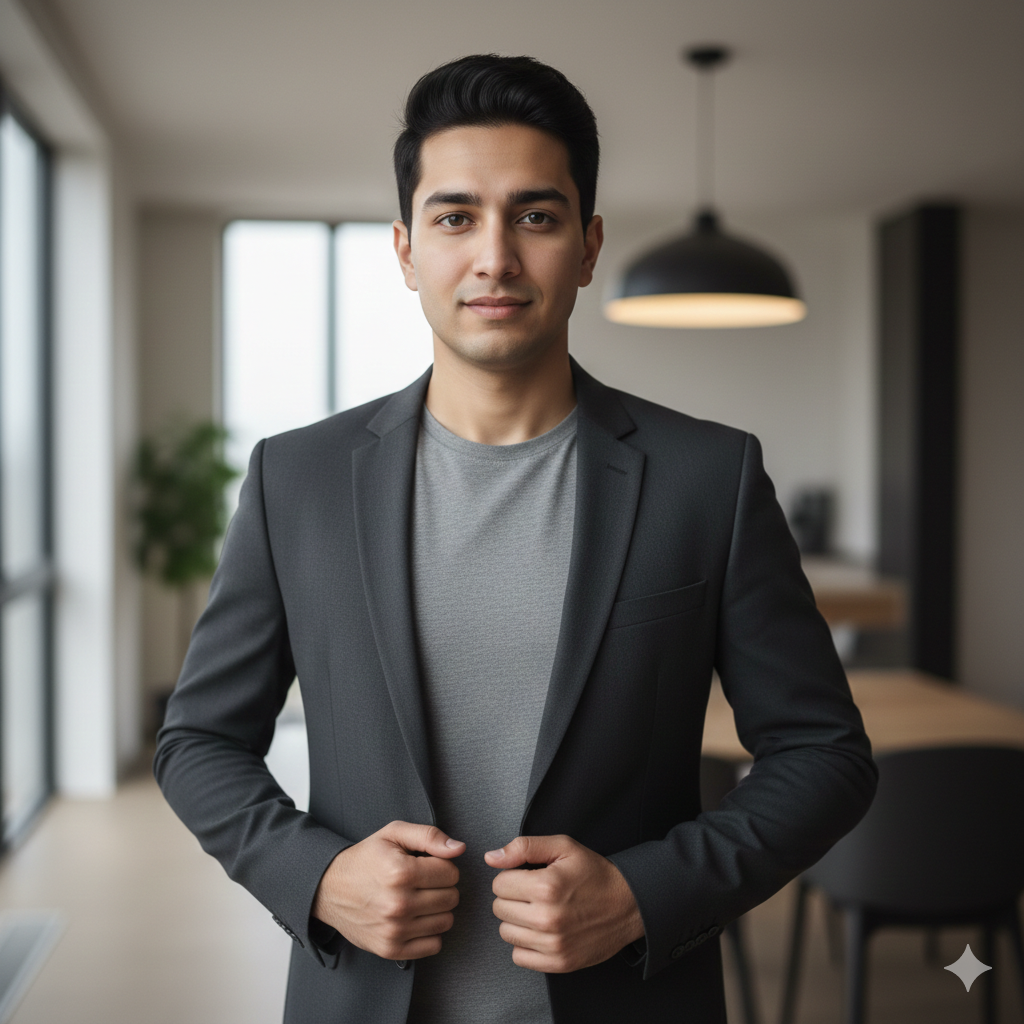
Prompt: Generate a photorealistic 4K HD image of a young man standing in a contemporary indoor setting. Waist-up shot, slightly elevated angle, 50mm lens. He wears a fitted charcoal blazer over a simple gray t-shirt. His posture is upright and open, one hand adjusting blazer, direct eye contact with assured yet friendly expression. Balanced natural and ambient lighting from multiple directions. Background shows a modern interior space with clean lines, softly blurred. Emphasize natural skin texture with visible pores and fine details for lifelike realism. Use the uploaded reference image(s) with 100% accuracy. Don’t change face(s).
Best for: Multi-purpose profiles, versatile social media content, professional-casual settings
Quick Tip: Indoor photos with decent lighting transform best—avoid overly dark rooms.
How to Use These Prompts in Google Gemini
Getting results is simpler than you think.
Open Google Gemini and upload your reference photo first. Then copy your chosen prompt exactly as written and paste it into the chat.
Gemini processes your request and generates the enhanced 4K HD image within seconds. Download the result and use it immediately on any platform.
No editing skills required, no expensive software needed. Just upload, paste, and download.
Tips for Better Results with Fashion Prompts
Your reference photo quality directly affects your final output.
Use well-lit photos where your face is clearly visible. Avoid blurry images, extreme filters, or heavy shadows.
Stand or sit naturally when taking reference shots—forced poses create awkward results. Wear clothing similar to what the prompt describes for the most realistic transformation.
The AI works best with recent, high-resolution photos where you’re the only person in frame.
Conclusion
These 10 male fashion Google Gemini photo editing prompts give you professional-quality results without professional costs.
Copy any prompt that matches your style, upload a decent reference photo, and watch Gemini transform it into a 4K HD fashion image. Your social media profiles deserve better than basic selfies.
Start with the prompt that fits your immediate need—whether that’s a LinkedIn update, Instagram refresh, or dating profile upgrade. Better photos are just one copy-paste away.