
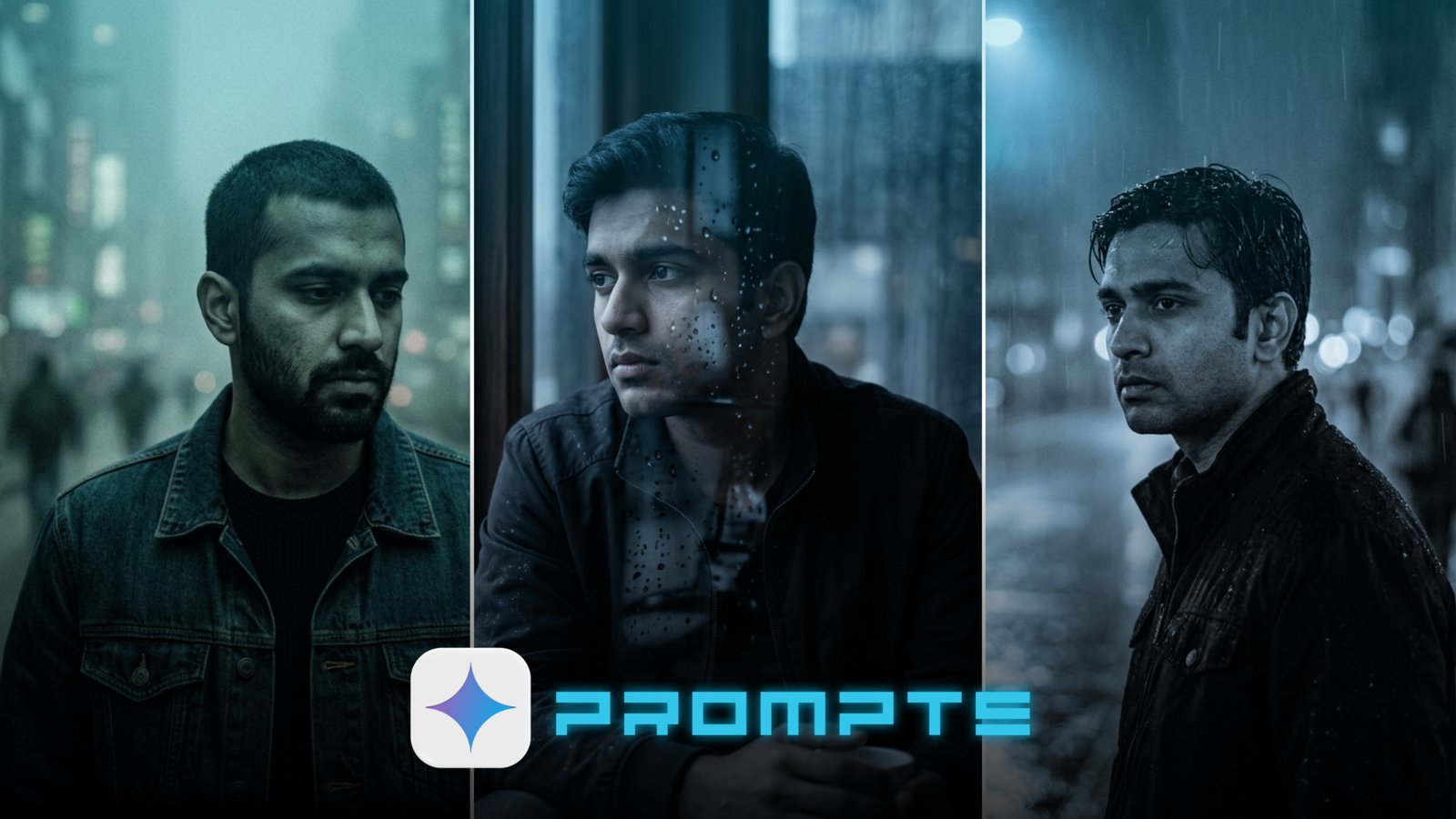
Sad boy aesthetic photos hit differently. That moody lighting, cold tones, and quiet loneliness — it’s a vibe that stops the scroll instantly.
The good news? You don’t need Photoshop or editing skills. These sad boy aesthetic Gemini AI photo editing prompts are free, copy-paste ready, and work even if you’ve never edited a photo before. Just paste and get results.
Below are 10 carefully crafted prompts to give your photos that deep, emotional, cinematic feel — perfect for Instagram, TikTok, or your personal aesthetic feed.
Why Sad Boy Aesthetic Is Taking Over Social Media
The sad boy aesthetic isn’t just a trend. It’s a visual mood that connects with people on an emotional level. Think dark skies, empty streets, muted colors, and quiet energy.
This look works on any platform — Instagram Reels, TikTok, Facebook stories, and even WhatsApp status updates. And with Gemini AI, you can now apply this whole aesthetic to your own photos without any editing app.
You don’t need filters. You don’t need presets. Just a good prompt, your photo, and Gemini AI — and the transformation happens in seconds.
Prompt #1: The Rainy Night Soul
There’s something about rain at night that perfectly captures the sad boy aesthetic. Cold pavement, blurred lights, and a lone figure — this prompt transforms any outdoor photo into a cinematic, emotionally charged scene.
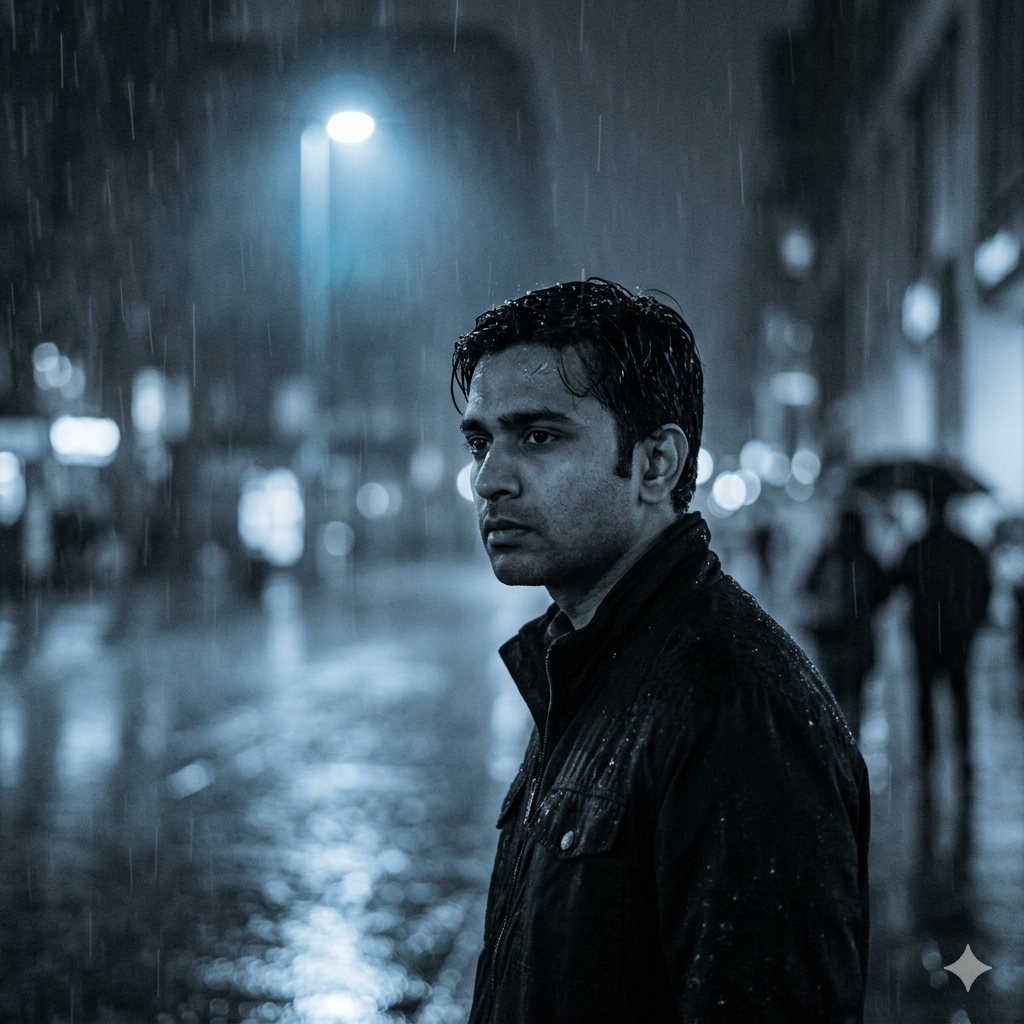
Prompt: Generate a moody, cinematic photo edit with a rainy night atmosphere. Apply a desaturated blue-grey color grade with slightly crushed blacks and lifted shadows for that overexposed film look. Add subtle rain streaks on the foreground layer and soft bokeh reflections on wet pavement. Adjust lighting to simulate a single distant streetlamp casting a cold, diffused glow on the subject. Keep facial features sharp while softening the background with a shallow depth of field feel. The overall mood should feel lonely, introspective, and cinematic — like a still from an indie film. Use the uploaded reference image(s) with 100% accuracy. Don’t change face(s).
Best for: Outdoor photos, street settings, evening or night shots
Quick Tip: Works best with photos taken near a road or path. The wet street reflections hit harder when there’s some light in the background.
Prompt #2: The Forgotten City
City life has its own kind of loneliness. Empty intersections, foggy alleyways, and the feeling of being invisible in a crowd — this prompt captures that urban melancholy perfectly.
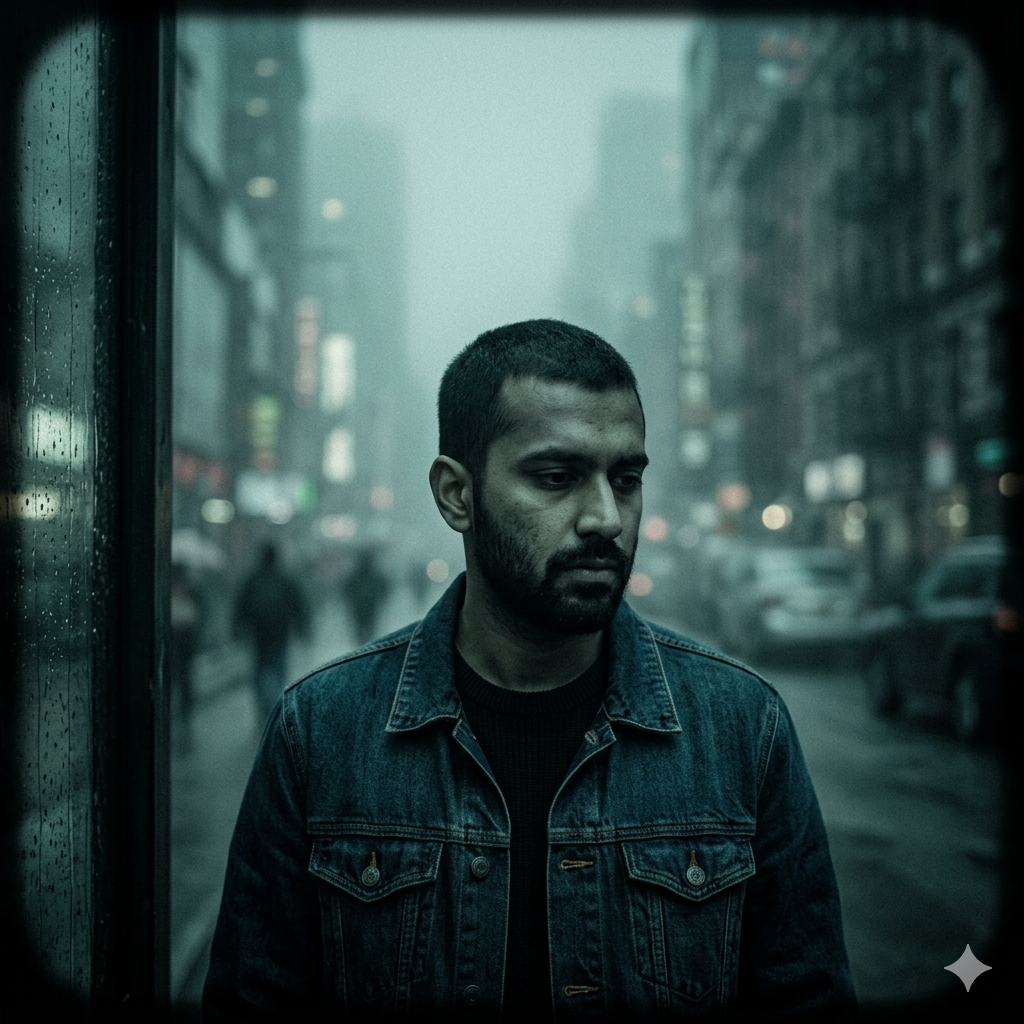
Prompt: Generate a cinematic, melancholic photo edit with a gritty urban aesthetic. Apply a cold teal-green color grade with low contrast and slight grain overlay to simulate aged film. Blur the background with progressive depth haze to suggest a dense, foggy city environment. Add a soft vignette on the edges to draw focus inward. Keep skin tones muted and slightly desaturated — avoiding warm hues entirely. The mood should feel isolated and emotionally heavy, like the subject exists in a world that has moved on without them. Use the uploaded reference image(s) with 100% accuracy. Don’t change face(s).
Best for: Street photos, city backgrounds, crowded-but-lonely environments
Quick Tip: Great for photos taken at dusk when the sky is a natural grey-blue. The grain adds a raw, emotional feel to the image.
Prompt #3: The Window and the Rain
Being inside while rain falls outside is one of the most visually iconic sad boy moments. This prompt creates that trapped, pensive feeling through lighting and texture.
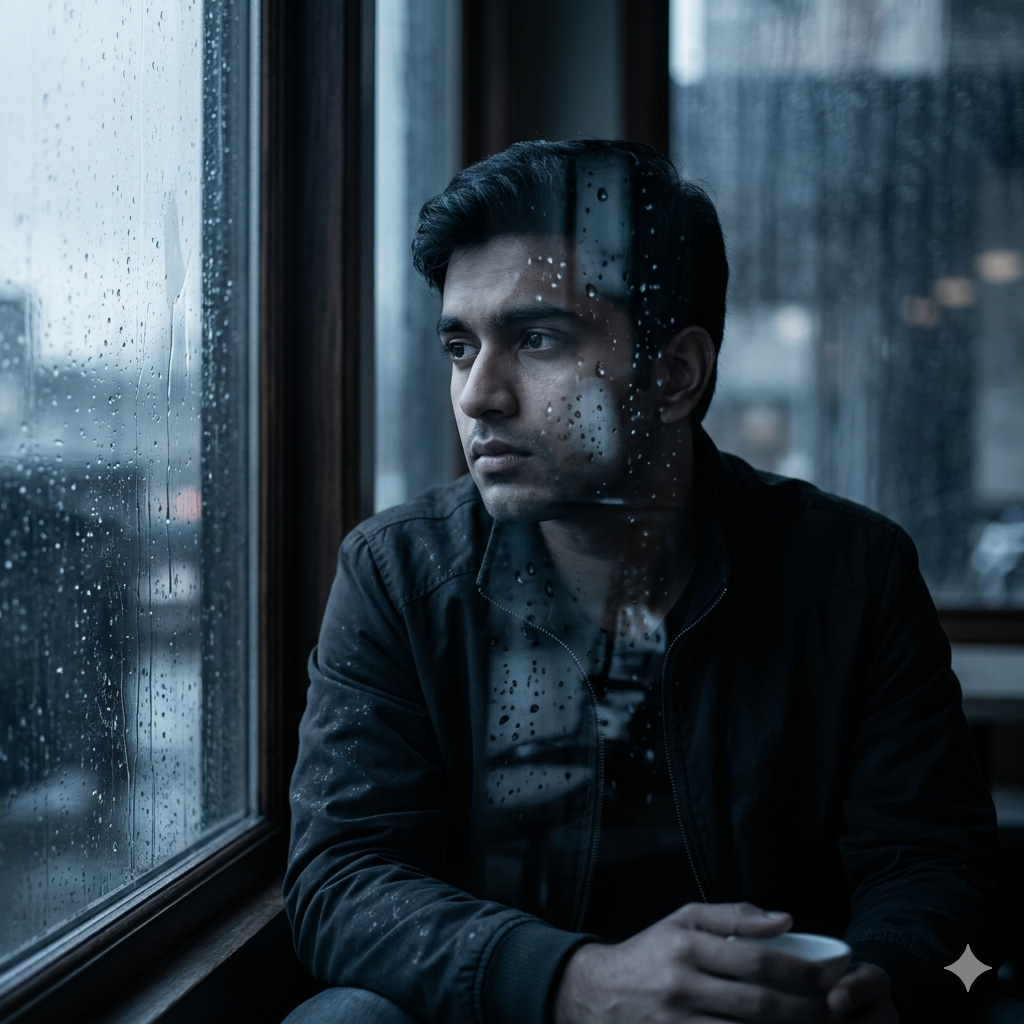
Prompt: Generate a moody indoor portrait edit with a rainy window aesthetic. Apply cool blue-grey tones across the image with soft, diffused side lighting simulating natural overcast daylight coming through a window. Add a subtle rain texture overlay on the glass with reflections scattered across the subject’s face and clothing. Slightly raise shadow detail to prevent full blacks while keeping the overall palette flat and emotionally muted. The final look should feel like a quiet, still moment — like the subject is lost in thought while waiting for something that never comes. Use the uploaded reference image(s) with 100% accuracy. Don’t change face(s).
Best for: Indoor portraits, photos near windows or walls, close-up facial shots
Quick Tip: This prompt looks stunning on solo portraits. The rain texture on the face adds a layer of emotional depth you can’t fake with normal filters.
Prompt #4: The Empty Road Wanderer
A lone figure on an open road — this visual says everything without a single word. This prompt builds that vast, empty, emotionally heavy landscape around your subject.
Prompt: Generate a cinematic, wide-atmosphere photo edit with an empty road aesthetic. Desaturate the environment to cold grey-green tones while keeping the subject slightly warmer to create visual separation. Apply a heavy atmospheric haze to the background to create distance and emptiness. Add film grain and a subtle horizontal lens flare to simulate a handheld, indie film feel. The composition should feel exposed — like the subject is small against an uncaring world. Keep depth sharp on the subject while the road behind fades into mist. Use the uploaded reference image(s) with 100% accuracy. Don’t change face(s).
Best for: Outdoor photos, road or path backgrounds, full-body shots
Quick Tip: If your photo has sky in the background, the atmospheric haze will create an incredible dreamy-lonely effect automatically.
Prompt #5: The Smoke and Shadow Portrait
Mystery meets melancholy. Dark tones, sharp shadows, and a hint of smoke — this prompt creates a deeply dramatic, almost noir-style portrait with a modern sad aesthetic.
Prompt: Generate a dark, moody portrait edit with a smoke and shadow cinematic tone. Apply deep charcoal and cool black color grades with selective rim lighting on the edges of the subject’s face and shoulders. Add a faint smoke or haze layer in the foreground to create visual depth and mystery. Use strong directional lighting simulation from one side to create dramatic facial shadows. Keep midtones flat and textures sharp, especially on skin and fabric. The final feel should be intense and emotionally guarded — like someone carrying a weight they never talk about. Use the uploaded reference image(s) with 100% accuracy. Don’t change face(s).
Best for: Close-up portraits, dark backgrounds, serious facial expressions
Quick Tip: This prompt works incredibly well for night photos or photos taken against dark walls. The rim lighting effect adds a professional, editorial quality.
Prompt #6: The Cold Morning Blue
Early mornings before the world wakes up have a specific kind of sadness. Quiet, blue, still — this prompt captures that pre-dawn loneliness in stunning color.
Prompt: Generate a cold, quiet morning aesthetic photo edit. Apply a deep blue-indigo color grade with lifted shadows and reduced contrast to create a flat, overcast feel. Simulate cold early morning light by applying soft directional highlights on the top and side of the subject. Add a slight mist layer in the background to create atmospheric depth. Keep the overall palette extremely muted — almost monochrome with only hints of blue and grey. The mood should feel like the world is still asleep and the subject is alone in the silence. Use the uploaded reference image(s) with 100% accuracy. Don’t change face(s).
Best for: Outdoor morning photos, rooftops, open spaces, natural backgrounds
Quick Tip: Pair this with a photo taken near dawn or with a light sky in the background for the most authentic cold morning look.
Prompt #7: The Faded Memory Film
Old photos have an emotional weight that new ones rarely match. This prompt gives your current photos that faded, nostalgic, vintage sad aesthetic — like a memory you’re slowly losing.
Prompt: Generate a faded vintage film photo edit with a nostalgic, melancholic aesthetic. Apply a heavy grain overlay with slight colour bleeding — introduce subtle greens in the shadows and faint yellows in the highlights, all while keeping the overall tone cold and desaturated. Reduce sharpness slightly to simulate an old analogue lens. Add light leaks on one corner and a soft fade to the blacks to lift them to a milky grey. The final image should feel like a photo found in an old box — precious, faded, and heavy with unspoken memory. Use the uploaded reference image(s) with 100% accuracy. Don’t change face(s).
Best for: Any photo — outdoors, indoors, portraits, candid shots
Quick Tip: This is one of the most universally flattering prompts. It works on almost any photo and makes every shot look like a scene from a coming-of-age film.
Prompt #8: The Overcast Rooftop
Rooftop shots are already cinematic. Add overcast skies and a cold edit, and you’ve got a deeply moody visual that performs incredibly well on Instagram and TikTok.
Prompt: Generate a cinematic rooftop portrait edit with a dark overcast sky aesthetic. Apply a grey-blue color grade with elevated shadows and reduced highlights to simulate flat, cloudy daylight. Emphasize the sky by slightly deepening cloud tones and adding subtle contrast to the background while keeping the subject naturally exposed. Apply a thin vignette and light grain for film texture. The mood should feel contemplative and exposed — like the subject is standing above everything but belonging to none of it. Use the uploaded reference image(s) with 100% accuracy. Don’t change face(s).
Best for: Rooftop photos, high-rise backgrounds, sky-heavy compositions
Quick Tip: If your original photo has a flat white or grey sky, this prompt will transform it dramatically. The cloud contrast is what makes this edit feel premium.
Prompt #9: The Neon Loneliness
Neon lights and sad eyes — it’s one of the most iconic combinations in aesthetic photography. This prompt blends warm neon color with a cold, lonely atmosphere for a striking contrast.
Prompt: Generate a neon-lit moody portrait edit with an urban night aesthetic. Apply a dark, nearly black base tone with selective neon color bleeding — introduce cool blue and faint purple reflections from imaginary ambient signage. Keep the overall image dark but with precise luminous highlights on the subject’s face and jacket edges. Add light grain and slight chromatic aberration to simulate a vintage digital camera feel. The mood should feel like a quiet night in a busy city — surrounded by color and noise but deeply, privately alone. Use the uploaded reference image(s) with 100% accuracy. Don’t change face(s).
Best for: Night photos, evening outdoor shots, dark backgrounds with any light source nearby
Quick Tip: Even if your original photo has no neon lights, this prompt creates the illusion of them through color grading. The results look incredibly cinematic.
Prompt #10: The Seasonal Goodbye
Autumn and winter both carry a natural sadness — bare trees, falling leaves, pale light. This prompt pulls out all that seasonal melancholy and wraps it around your subject beautifully.
Prompt: Generate a seasonal melancholy photo edit inspired by late autumn or early winter mood. Apply a muted warm-grey color grade with desaturated earth tones — think dried leaves, cold mud, and pale skies. Add a soft bokeh blur to any background foliage and introduce a slight warmth in the shadows to simulate the last weak light of a fading season. Keep the subject’s skin tones naturally muted and slightly cool. Add a gentle vignette and light grain for texture. The overall feel should be quiet, ending, and beautifully sad — like the last day of something good. Use the uploaded reference image(s) with 100% accuracy. Don’t change face(s).
Best for: Outdoor photos in natural settings, parks, open fields, tree-lined paths
Quick Tip: This prompt is especially powerful during actual autumn. If your photo has trees or grass in the background, the seasonal color grade will feel completely natural and stunning.
How to Use These Prompts with Gemini AI (Step-by-Step)
Getting your sad boy aesthetic edit is much simpler than it sounds. Here’s how to do it:
- Open Gemini AI — go to gemini.google.com on your phone or browser.
- Upload your photo — tap the image icon and select the photo you want to edit.
- Copy your chosen prompt — pick one from the list above and copy it exactly.
- Paste and send — paste the prompt into the message box and hit send.
- Download your result — save the edited image directly to your device.
- Post it — share to Instagram, TikTok, WhatsApp status, or wherever you want.
The whole process takes under two minutes. No apps, no subscriptions, no editing skills needed.
Tips to Get the Best Results from These Prompts
A few small things can make a big difference in your output quality:
- Use clear photos — blurry or dark originals limit what Gemini can do. A well-lit original gets a better edit.
- Portrait orientation works best — vertical photos suit most of these aesthetic edits better than landscape.
- Try the prompt more than once — Gemini sometimes gives slightly different results each time. Try the same prompt twice and pick your favorite.
- Combine elements — if you love the color from Prompt 2 but the lighting from Prompt 5, describe both in one custom prompt.
- Keep faces visible — all these prompts are built to protect facial details. Make sure your face is clearly visible in the original photo.
Conclusion
These 10 sad boy aesthetic Gemini AI photo editing prompts give you everything you need to create emotional, cinematic photos without spending a single rupee or learning a single editing skill.
Whether you want that rainy night vibe, cold morning blue, or neon loneliness feel — it’s all here, ready to copy and paste. The aesthetic you’ve been scrolling past is now yours to create.
Pick your favorite prompt, upload your photo to Gemini, and see what your photos can become. Share your results and tell others which prompt worked best for you.